Black Friday & Christmas: Campaigns in Shopware 6 that drive sales
How does a discount turn into a purchase? In short: The discount must be credible and easy to understand at a glance, shipping costs and delivery dates must be clear, and the offer should be tailored to the target audience. This article compiles promotions and ideas for Black Friday and Christmas – from straightforward discounts to personalized offers and Advent calendars – each with implementation details for Shopware 6 (Rule Builder, Experience Worlds, and “Discounts & Promotions”).
What customers can expect on Black Friday and Christmas in 2026
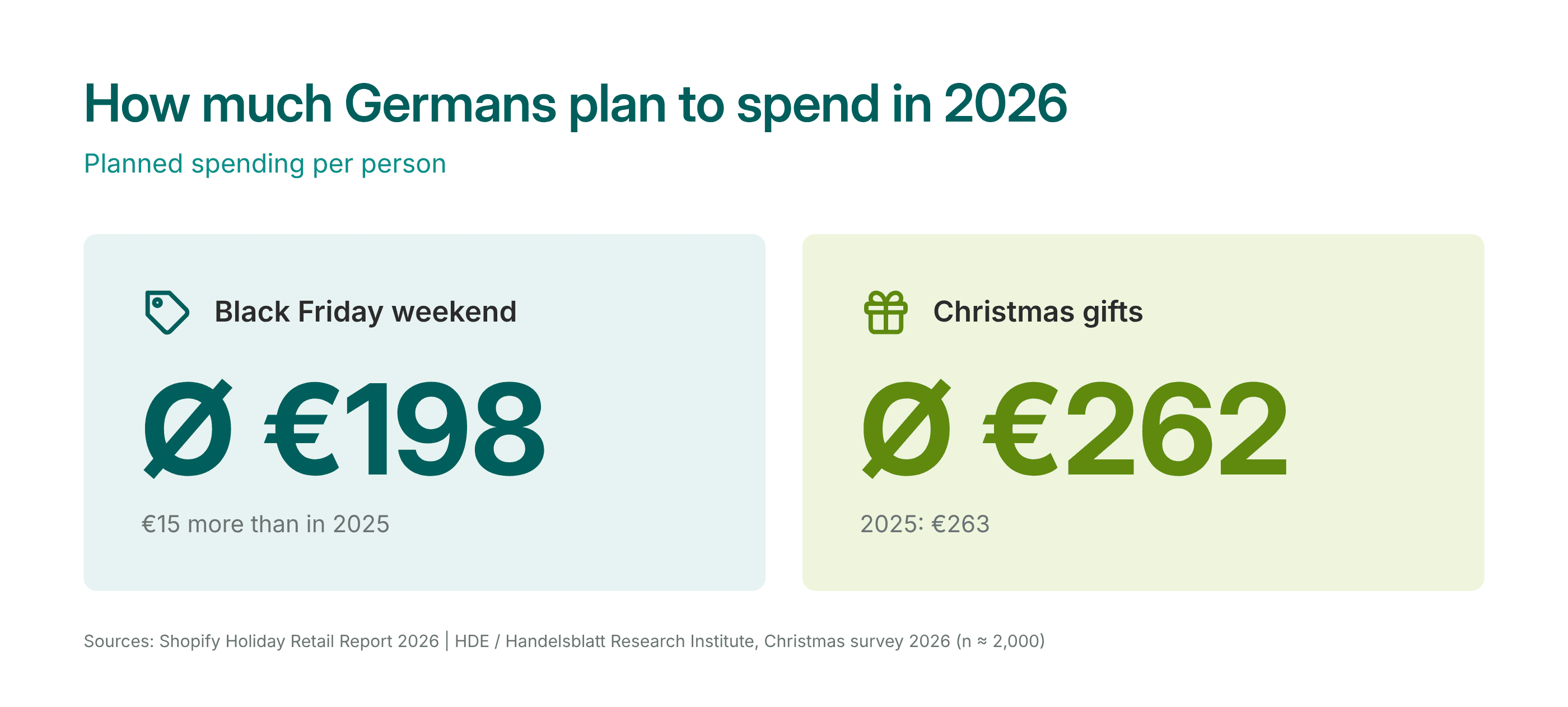
According to Shopify’s [Holiday Retail Report](https://www.e-commerce-magazin.de/weihnachtsgeschaeft-2026 -black-friday-spending-rises-despite-financial-worries-a-1d7e1896f49e348f100b1889f47448bc/), plan to spend an average of 198 euros. According to a survey by the German Retail Association (HDE), the figure for Christmas gifts is as high as 262 euros per person.
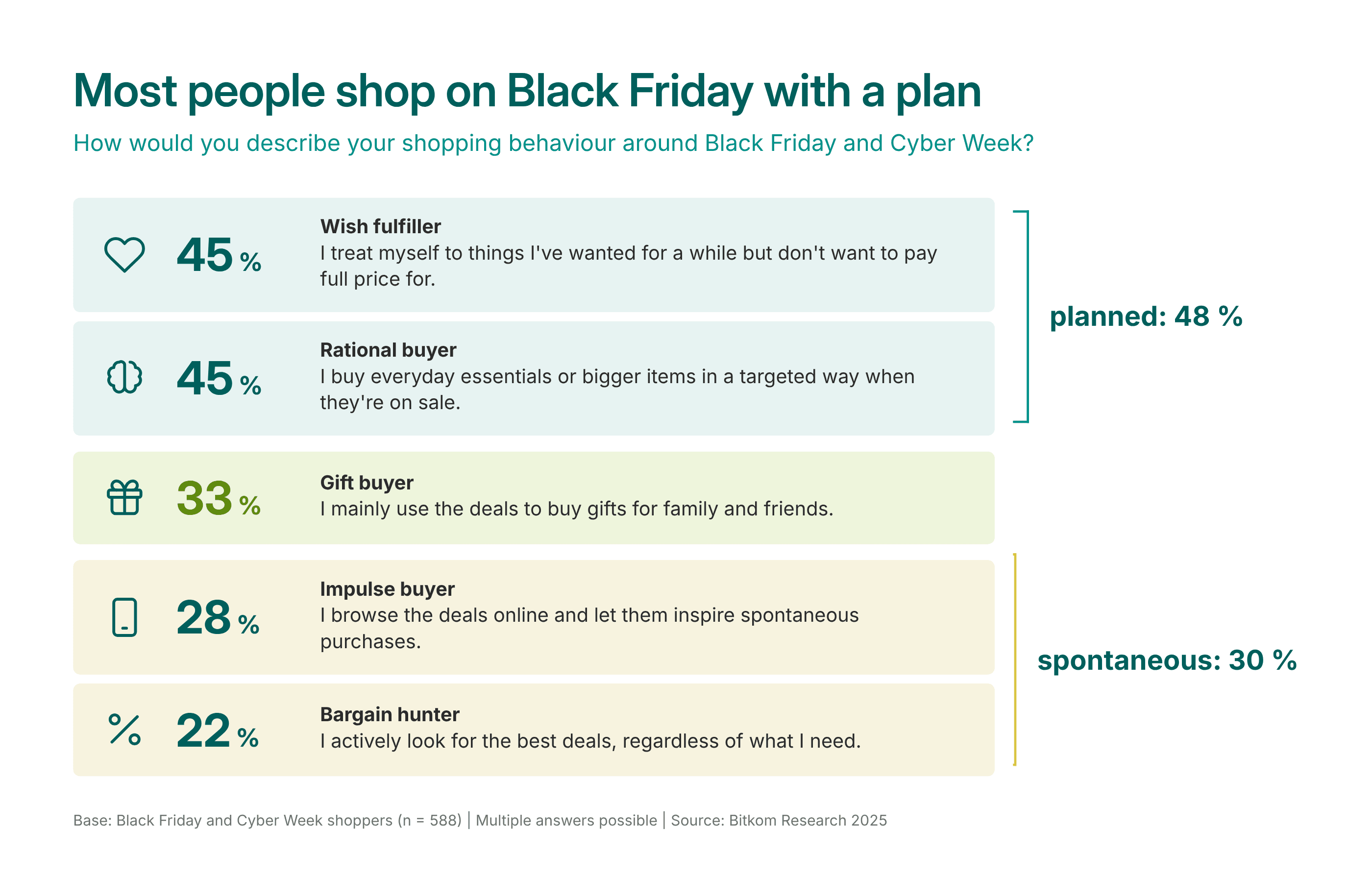
According to a Bitkom survey from 2025, most Black Friday shoppers plan ahead: 45 % specifically buy items they need or take advantage of the sale for larger purchases. One-third (33 %) use the deals primarily to buy gifts. Those who shop with a specific goal in mind often want to bookmark products in advance. A wish list on the store’s website caters to exactly these customers.
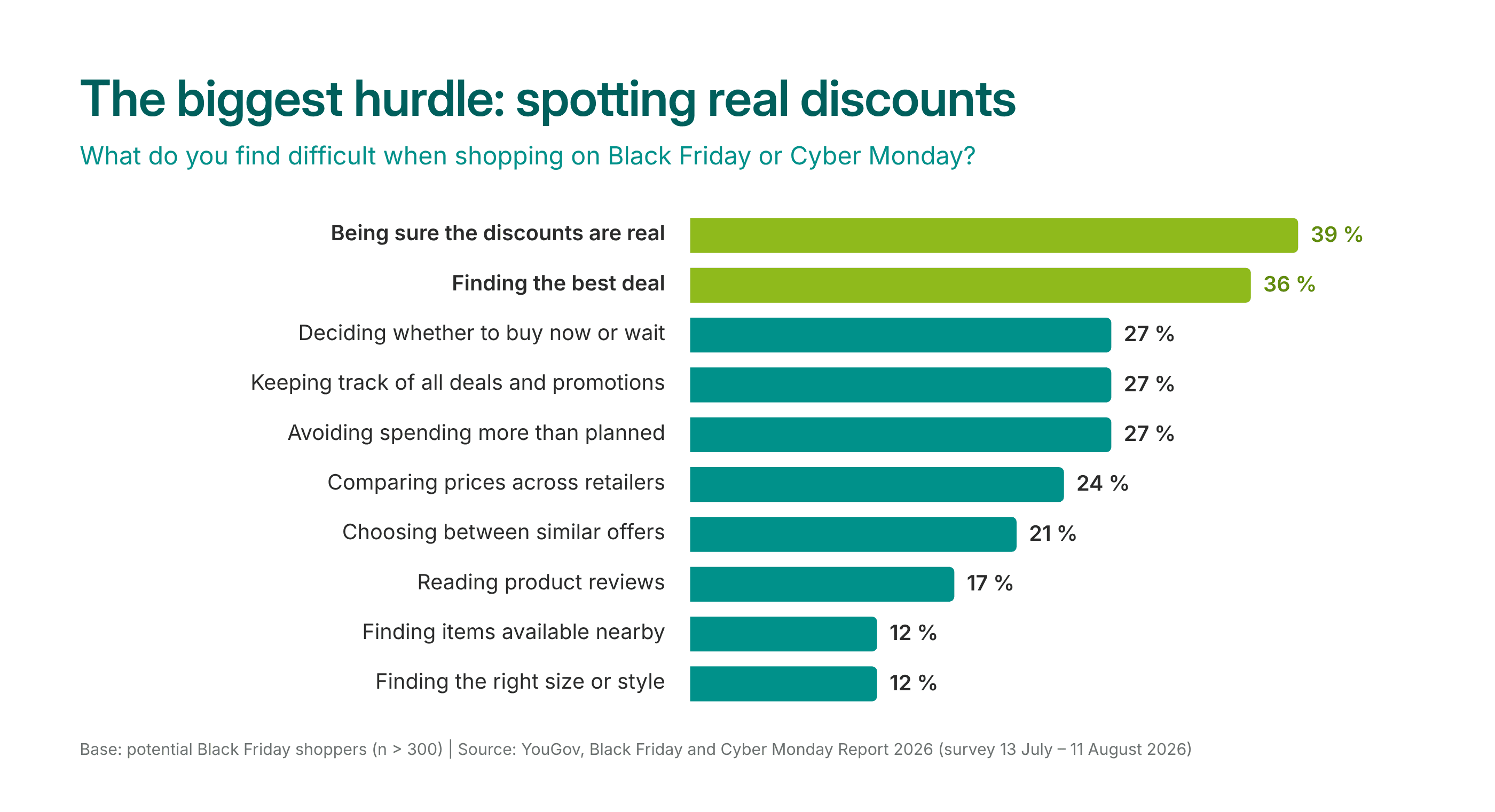
According to a YouGov survey from 2026, 39 % of potential buyers find it difficult to tell whether a Black Friday discount is actually a good deal. 36 % struggle to find the best deals in the first place.
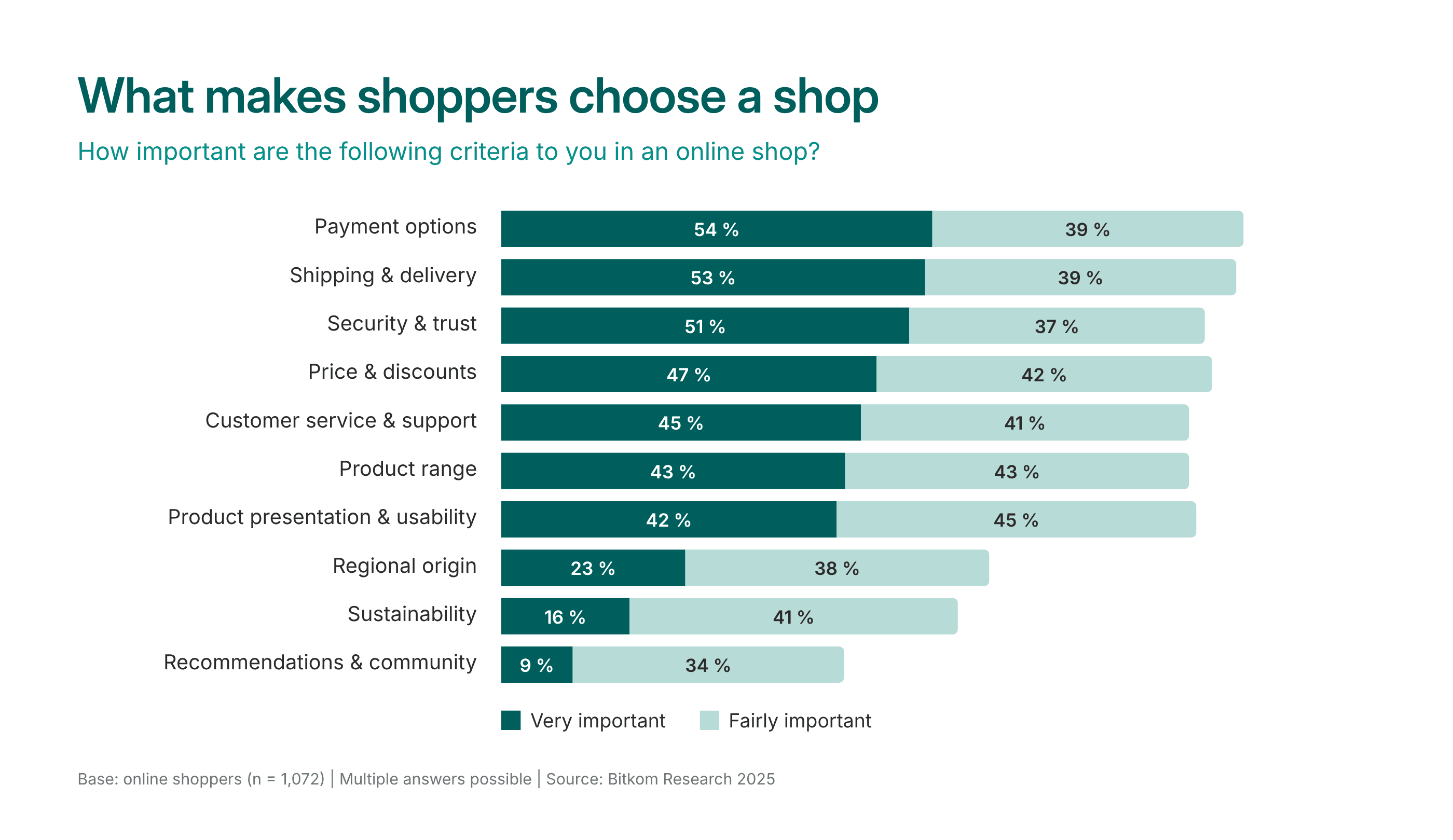
According to the same Bitkom survey, retailers can win over users primarily by offering payment options (54 %), shipping and delivery (53 %), and security and trust (51 %). Only then do price and discounts come into play (47 %). So even the best discount won’t help if the preferred payment method isn’t available or it’s unclear when my package will arrive.
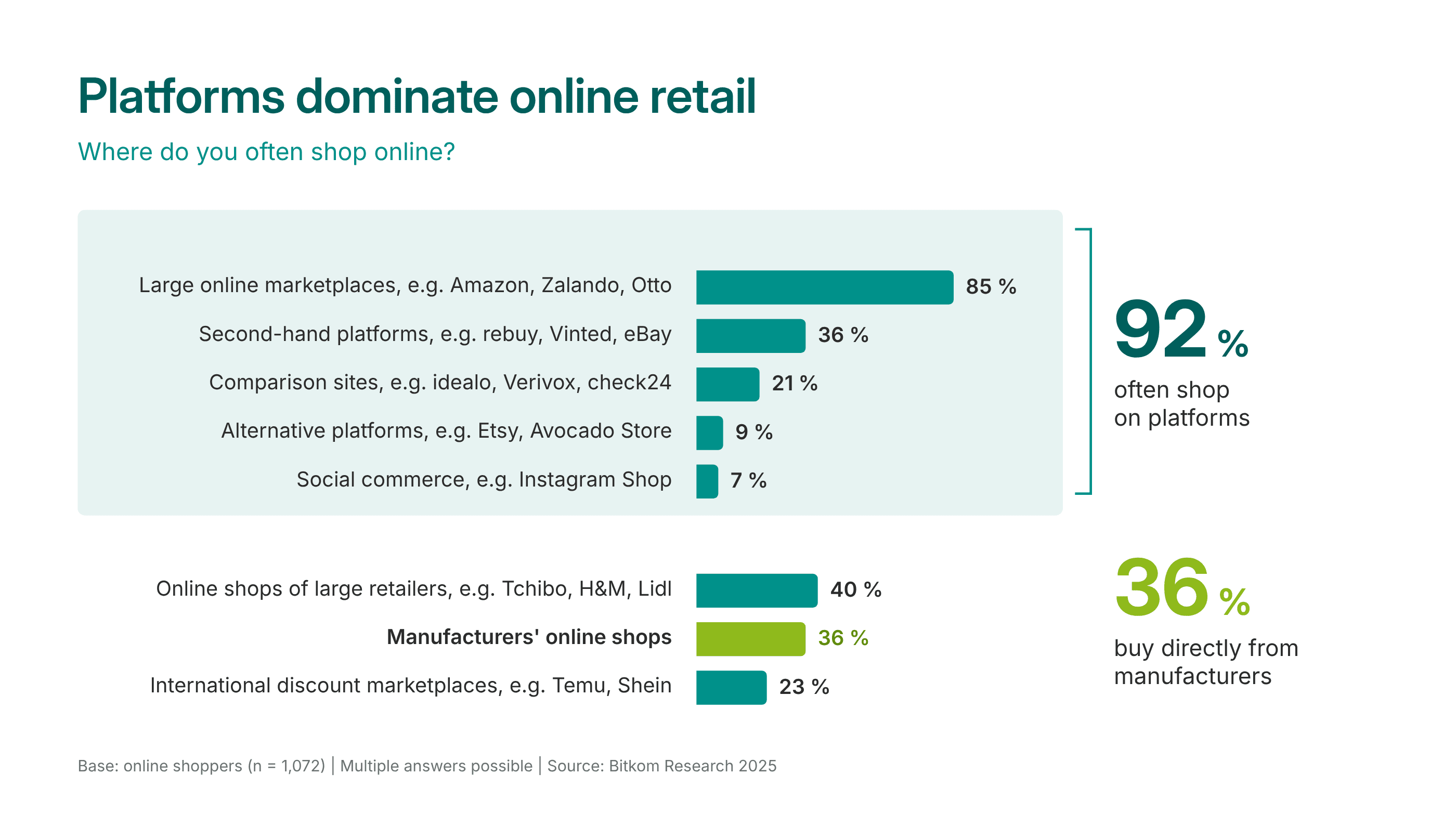
According to Bitkom, most people (92 %) frequently shop on platforms like Amazon or Zalando. Nevertheless, 36 % also buy directly from manufacturers. It’s important to note that users judge every store based on the convenience they’ve come to expect from Amazon. They ask themselves: How quickly can I find what I’m looking for? How easy is it to pay? How reliably will the package arrive on time?
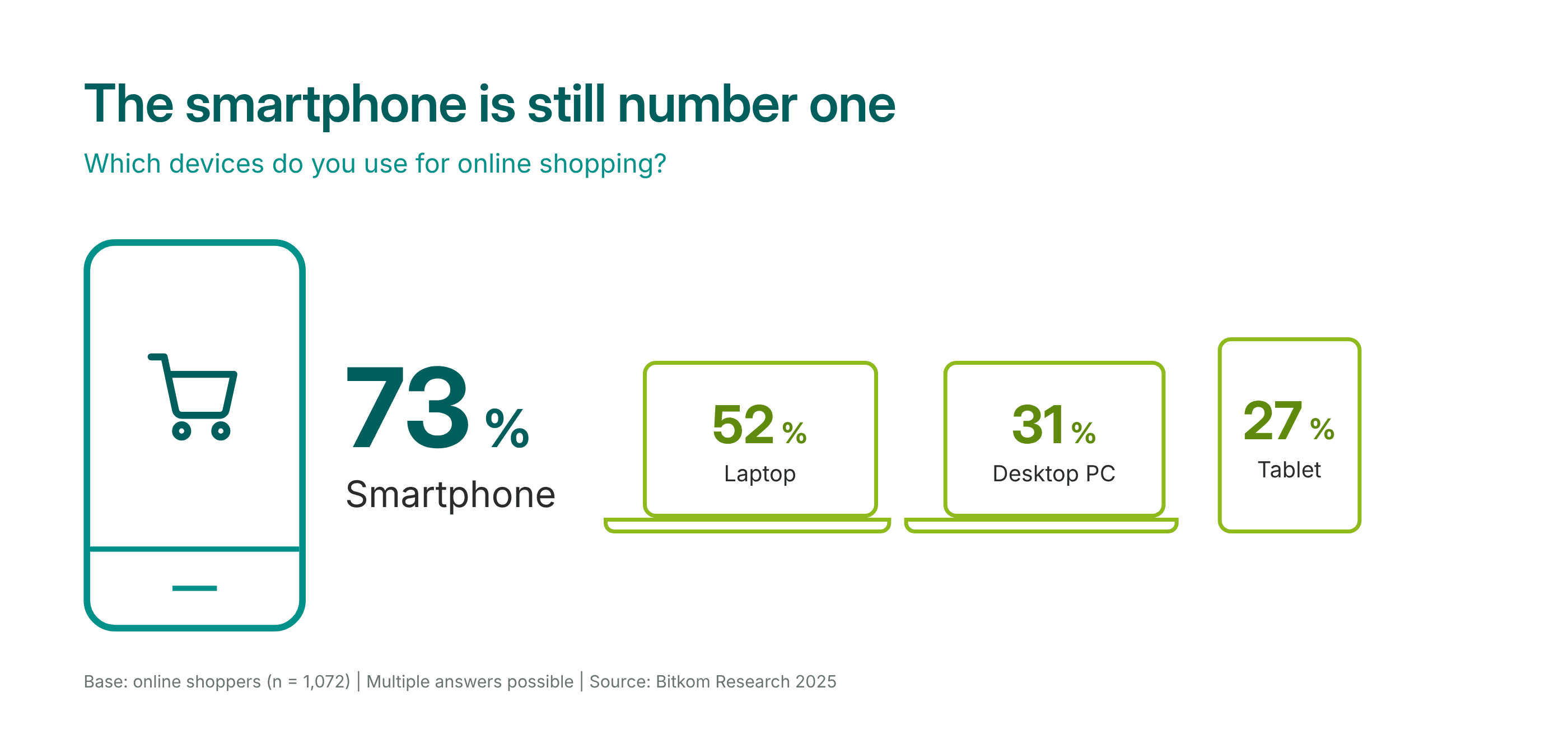
According to the Digital Association Bitkom, 73 % of people shop using their smartphones. This means every campaign must first work on a small screen.
Black Friday vs. Christmas: Same customers, different goals
The same people often shop on Black Friday and at Christmas. But they come into the store with different goals. That’s why the store needs to deliver something different in each case.
- Black Friday is all about saving money and trust. People usually shop for themselves, compare prices, and are in a hurry because the sale is ending. The store must show quickly and convincingly where the best deals are.
- At Christmas, it’s about peace of mind. People shop for others and are unsure what will be the right fit. The store must alleviate their doubts: the right gift, delivered on time, and exchangeable if necessary.
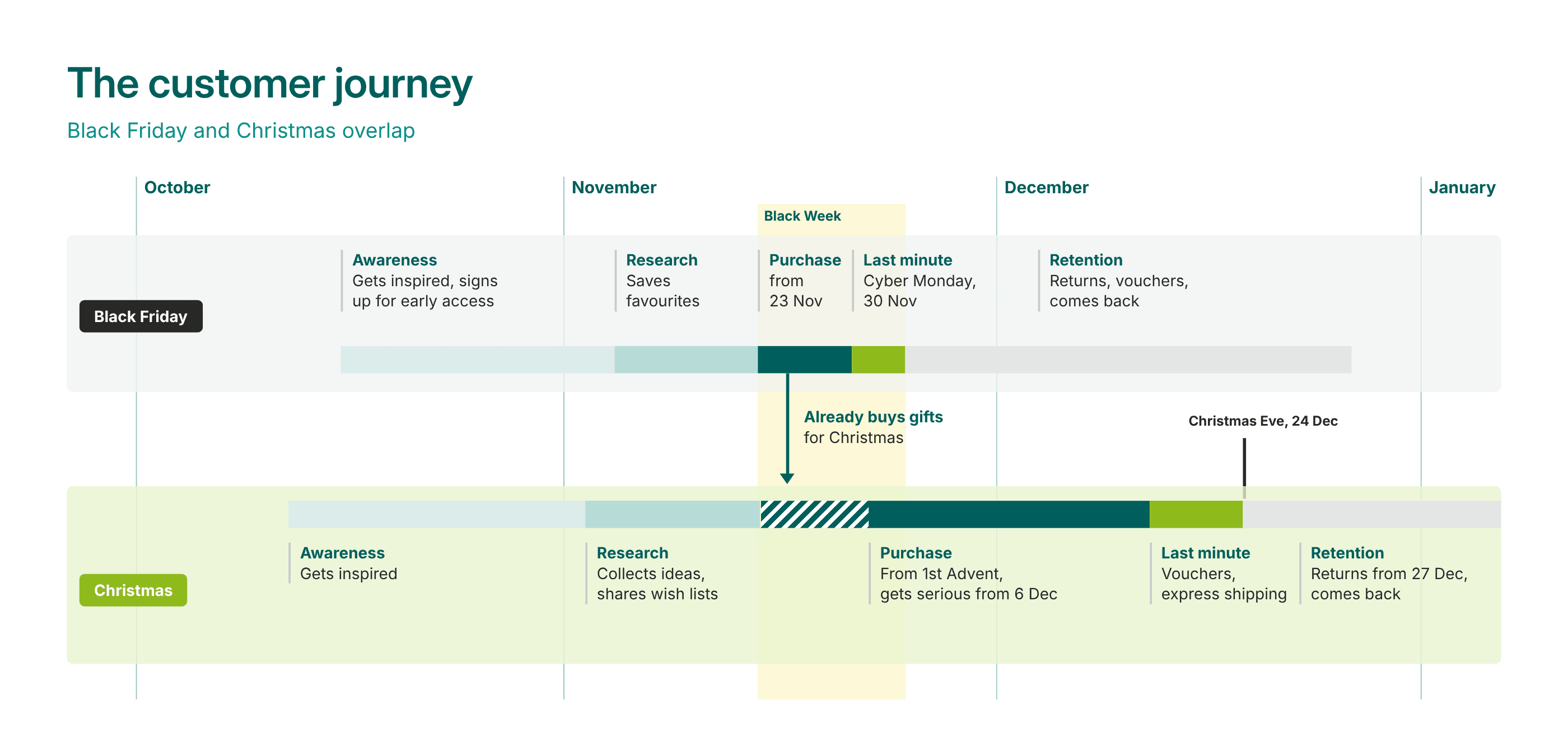
Three moments in this journey deserve special attention:
- Stand out before Black Friday: Everyone knows there are deals on Amazon. With manufacturers, that’s not always clear. Those participating should announce it early and prominently on their homepage and via email so customers know it’s worth coming back.
- Black Friday as a chance to shop for Christmas: One-third of shoppers are already looking for gifts during Black Week. That’s why gift ideas should be featured in the store right now.
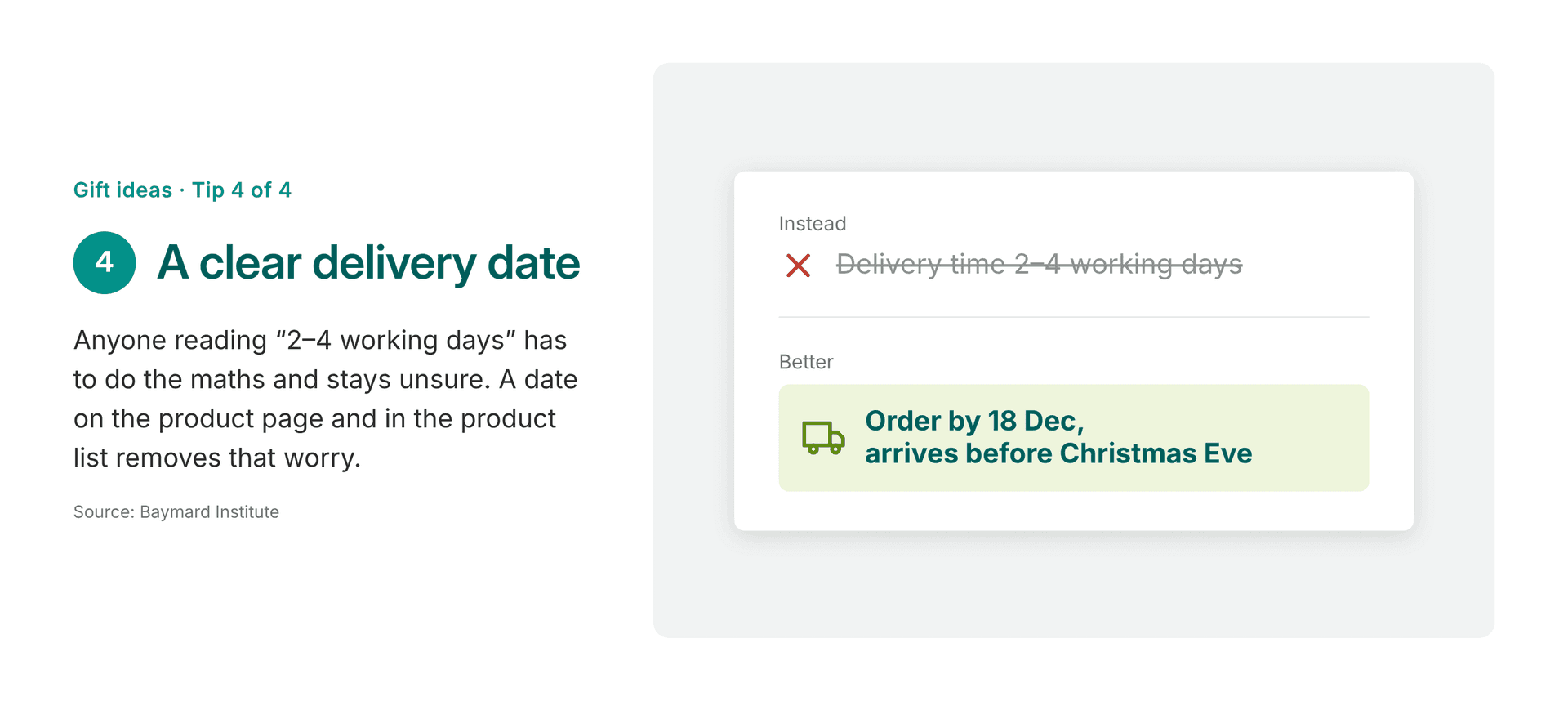
- Last-minute shopping before Christmas Eve: A clear delivery date provides peace of mind. If it’s too late for that, a gift card can save the sale.
Discount promotions in the online store: Clear language about discounts
Customers are skeptical of discounts. So a discount must not only be substantial, but also credible and easy to understand. Here are six rules to help with that:
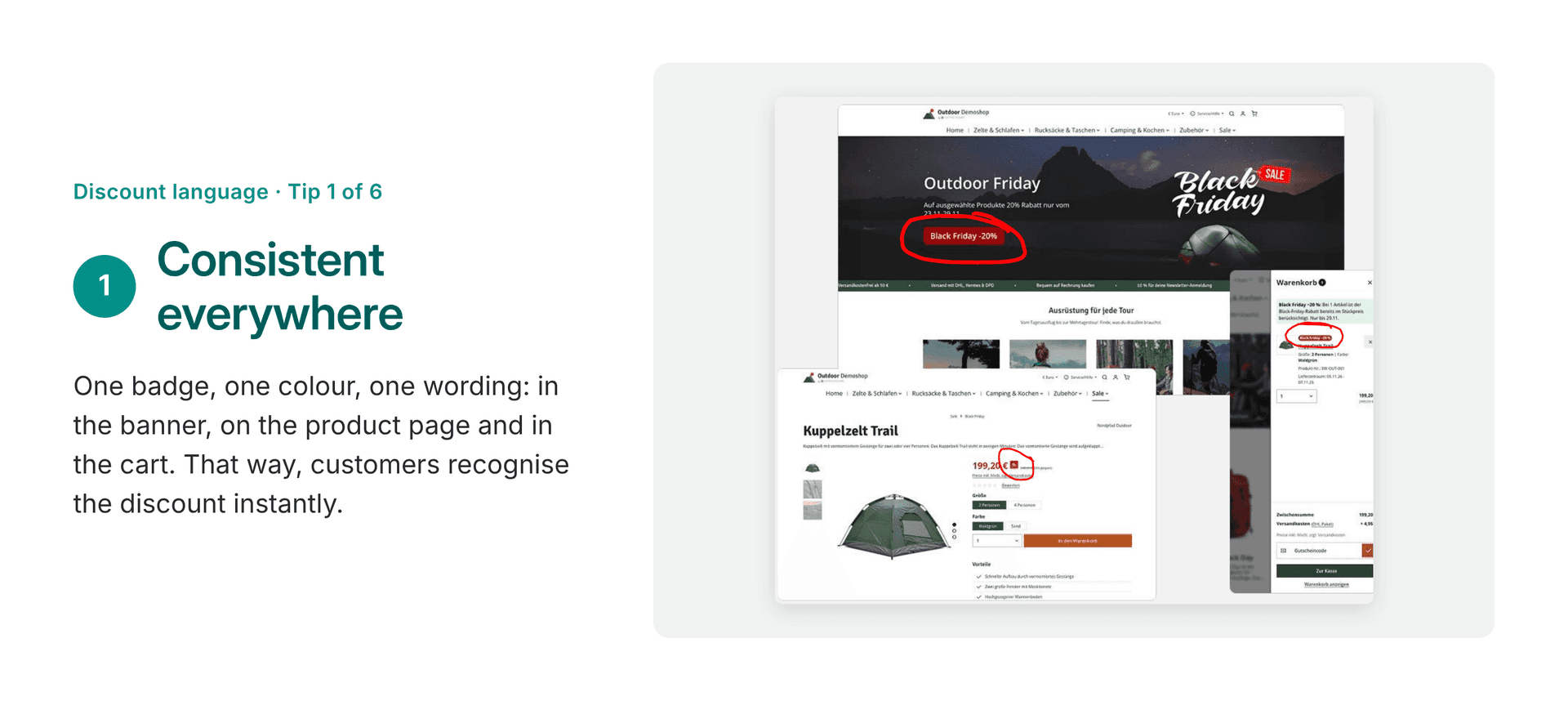
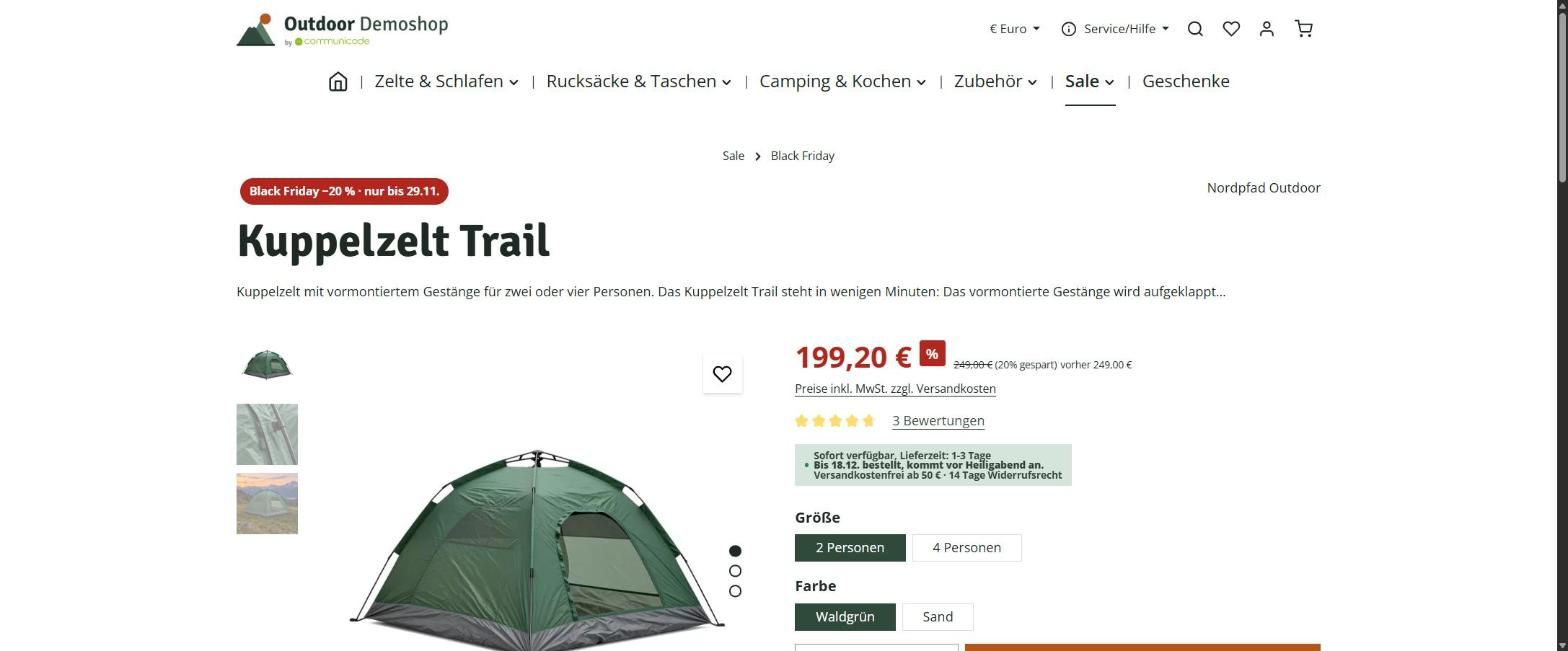
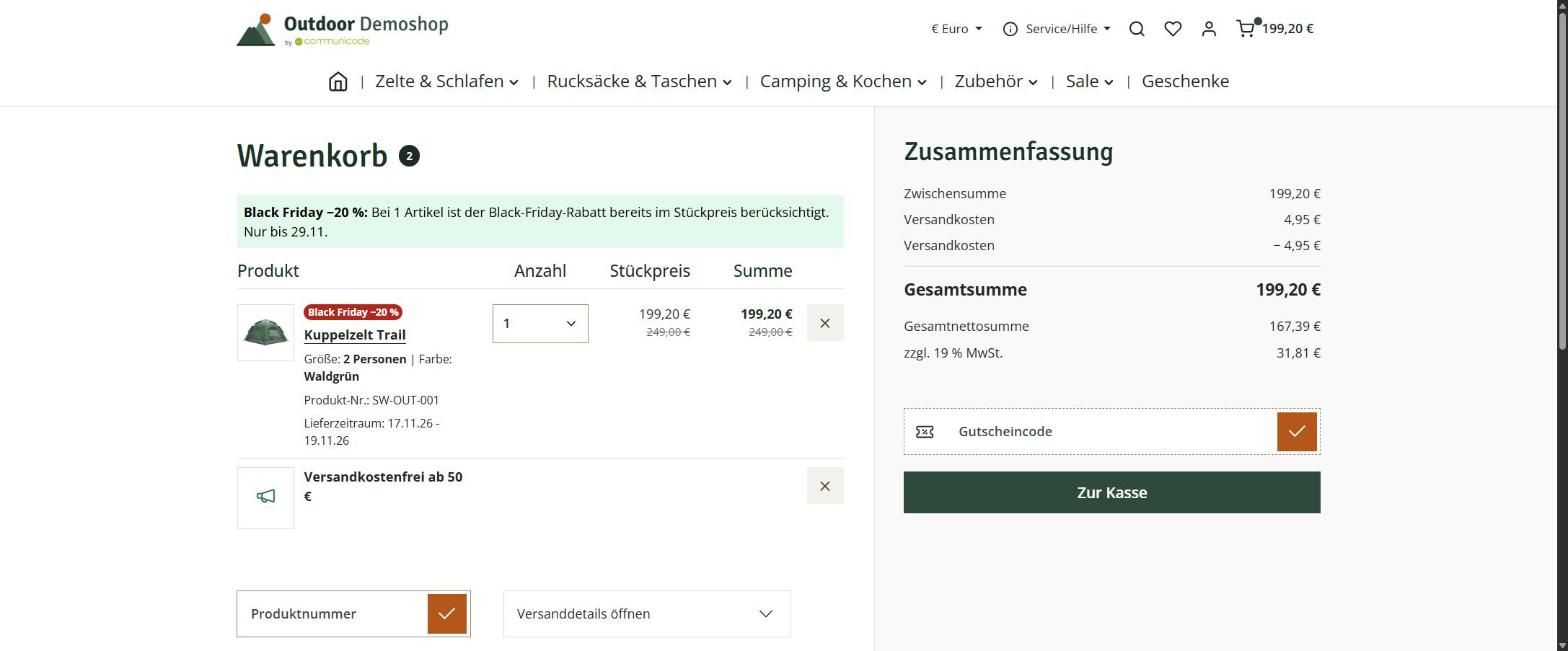
Graphic featuring the Black Friday discount communication tip “Keep it consistent.” The recommendation is to use the same badge, color, and wording across banners, product pages, and the shopping cart. Example screenshots of an online store illustrate how the same Black Friday discount is highlighted throughout the customer journey, making the promotion instantly recognizable.
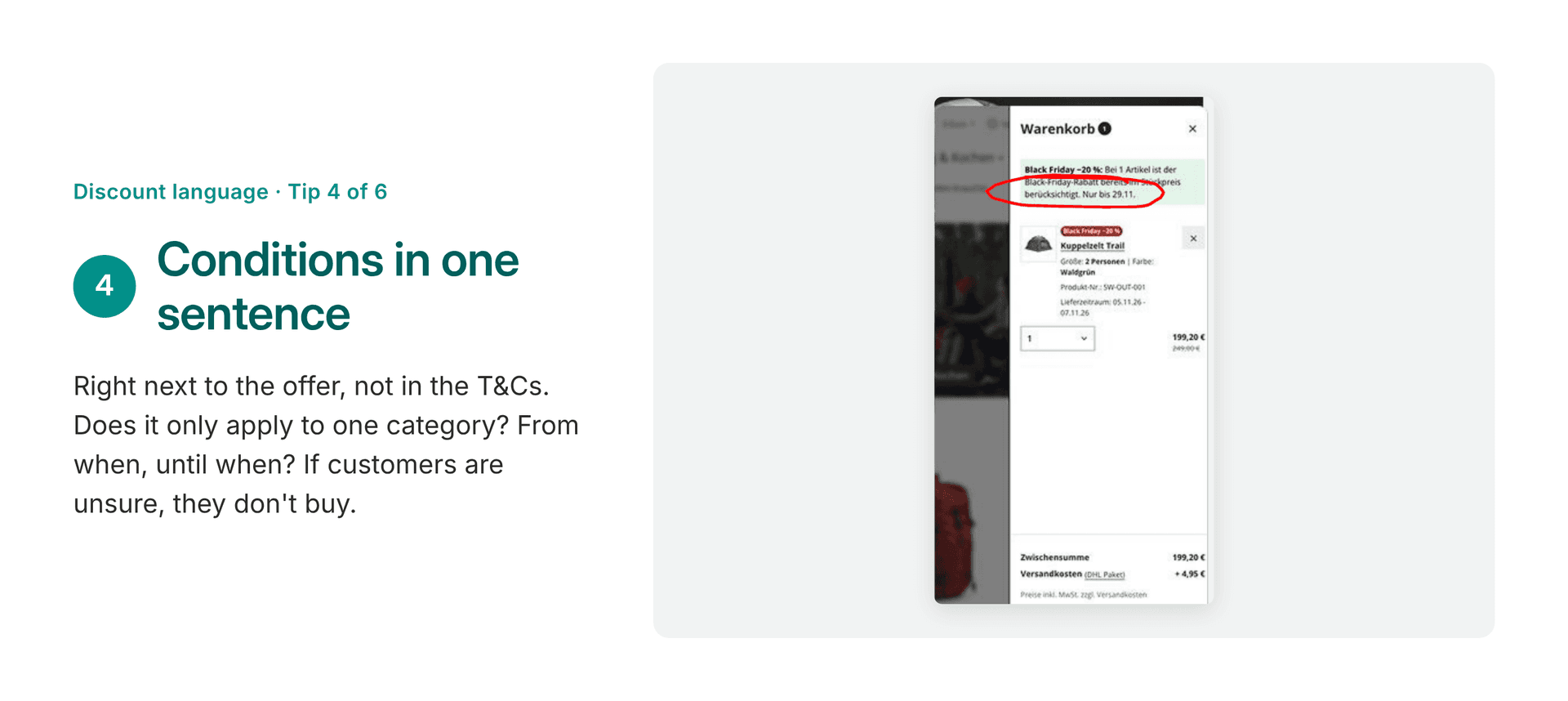
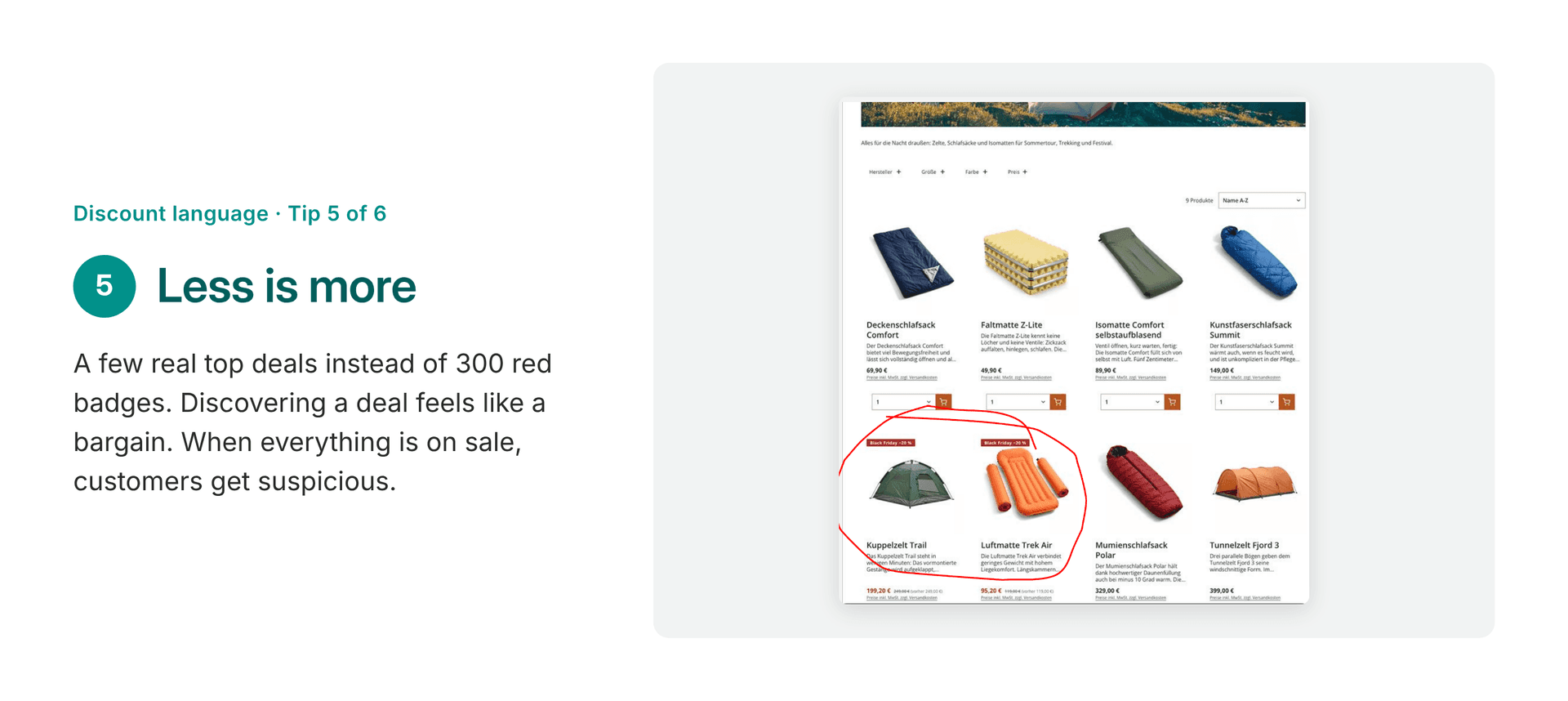
- Consistent everywhere: one badge, one color, one phrase – on the homepage, the product page, and in the shopping cart. Next to the reduced price, it always shows how much you’re saving. Otherwise, the offer can quickly seem like it’s not a bargain at all.
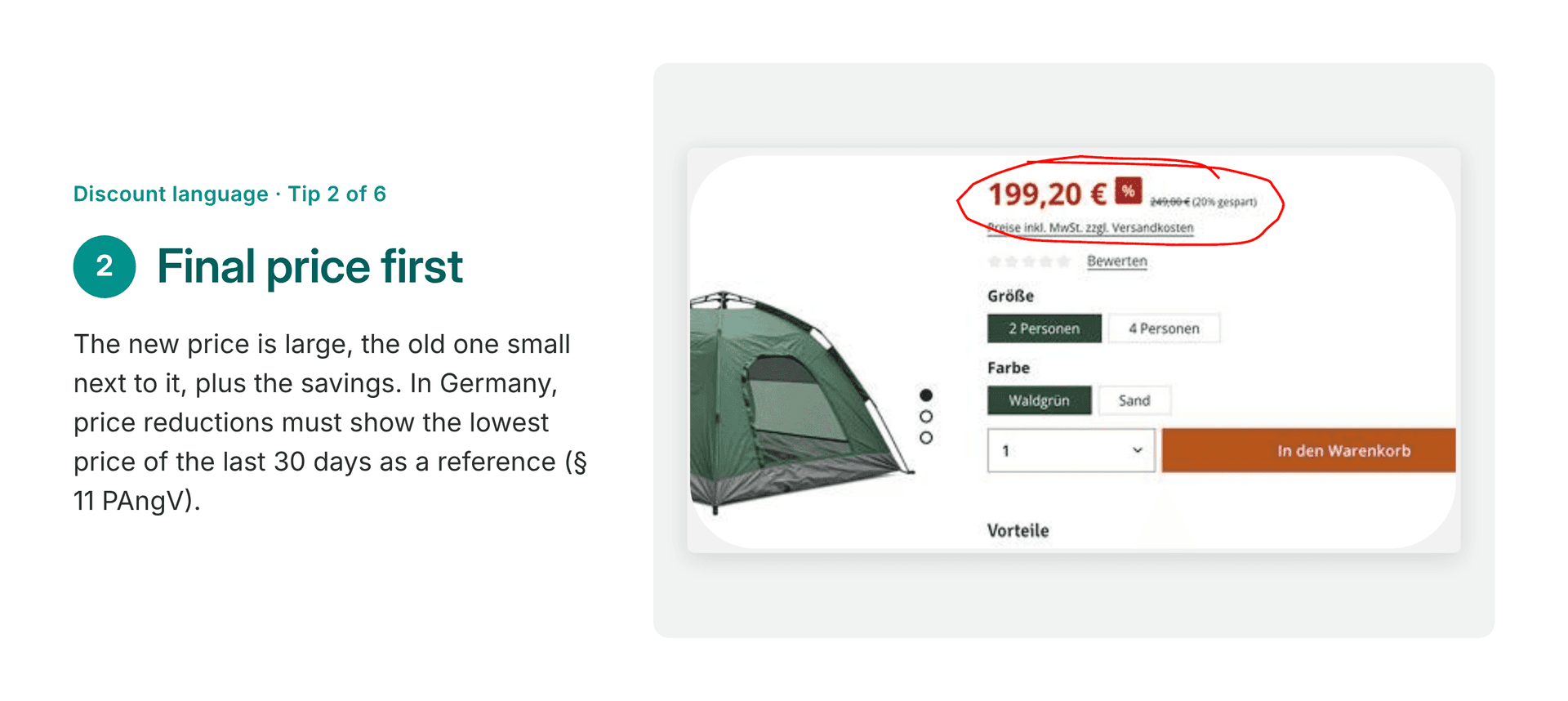
- Final price first: The new price is displayed in large font, with the old price in smaller font next to it. For price reductions in Germany, the lowest price from the past 30 days must be included as a comparison (§ 11 PAngV).
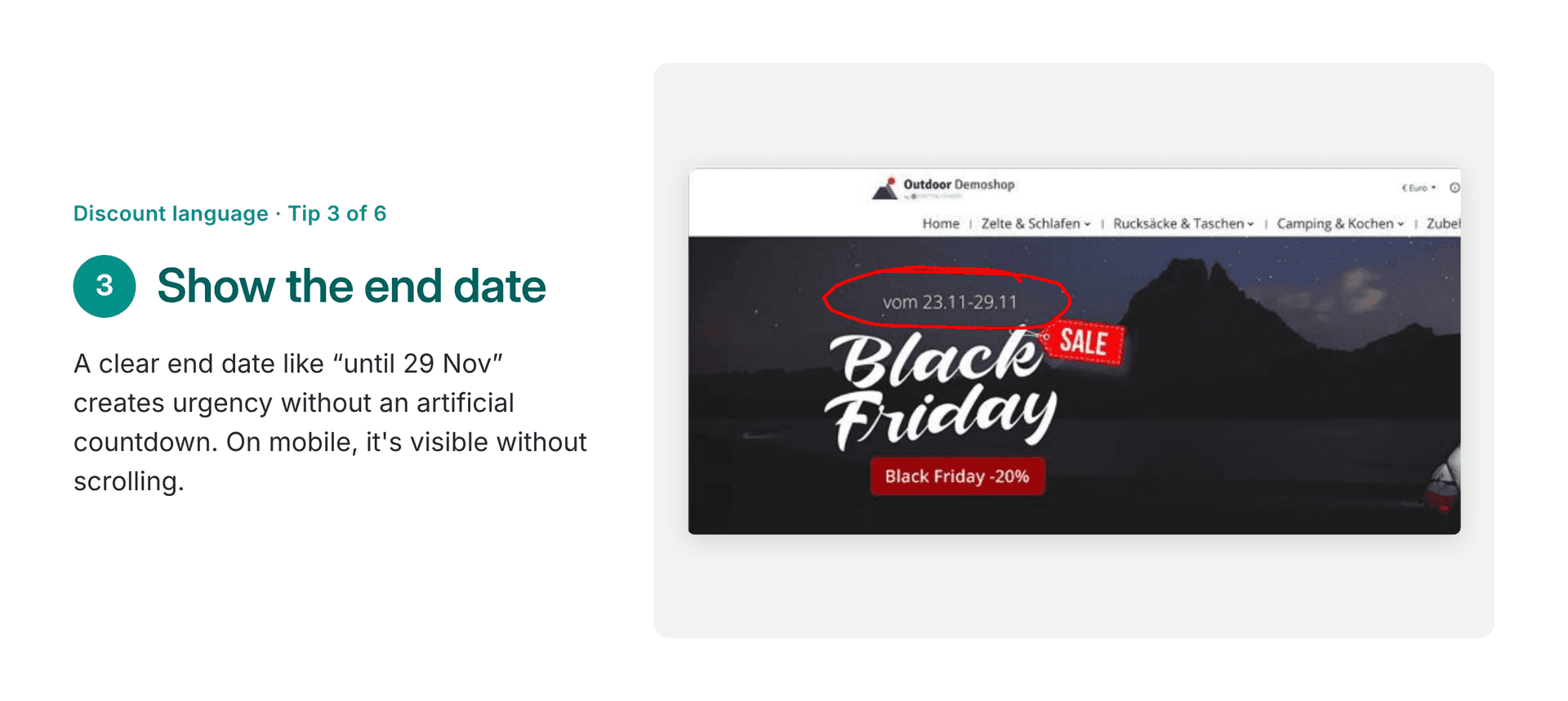
- Show the duration: Whether it’s a day, a week, or a whole month, the end date should be clearly visible as part of the offer – on a smartphone without having to scroll. A real end date creates a sense of urgency – without any artificial countdown.
- Terms and conditions in one sentence: Right on the offer itself, not buried in the Terms and Conditions. This is especially important for promotions like “3 for 2”: Does it apply only to one category? Is the cheapest item free? If customers are unsure, they won’t buy.
- Less is more: It’s better to have a few genuine top deals than everything on sale. Discovering an offer feels like a bargain. If everything is marked in red, customers become suspicious, and it eats into your profit margin.
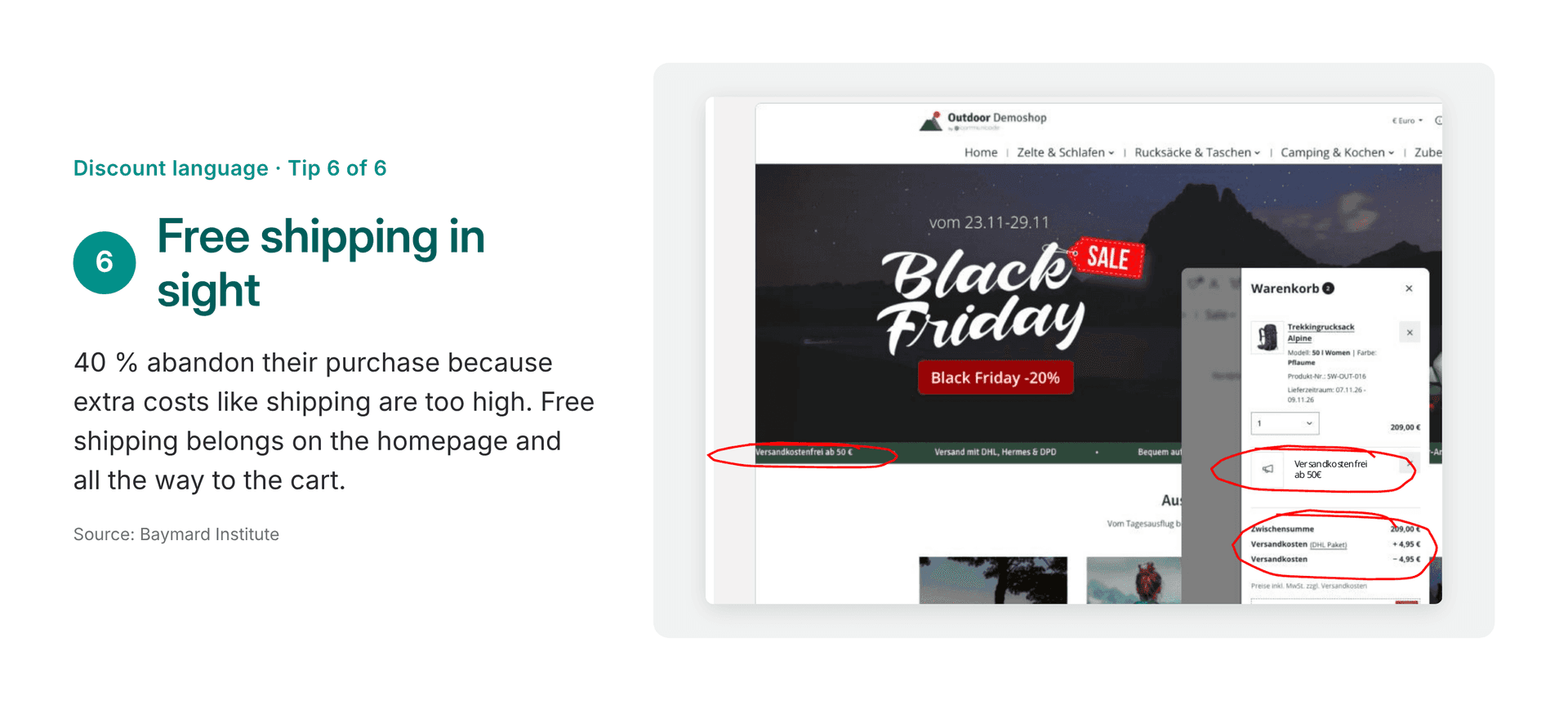
- Keep free shipping visible: 40 % of those who abandon their cart do so because additional costs, such as shipping, are too high. According to the Baymard Institute, this is the most common reason. Free shipping should therefore be featured on the homepage and all the way through to the shopping cart.
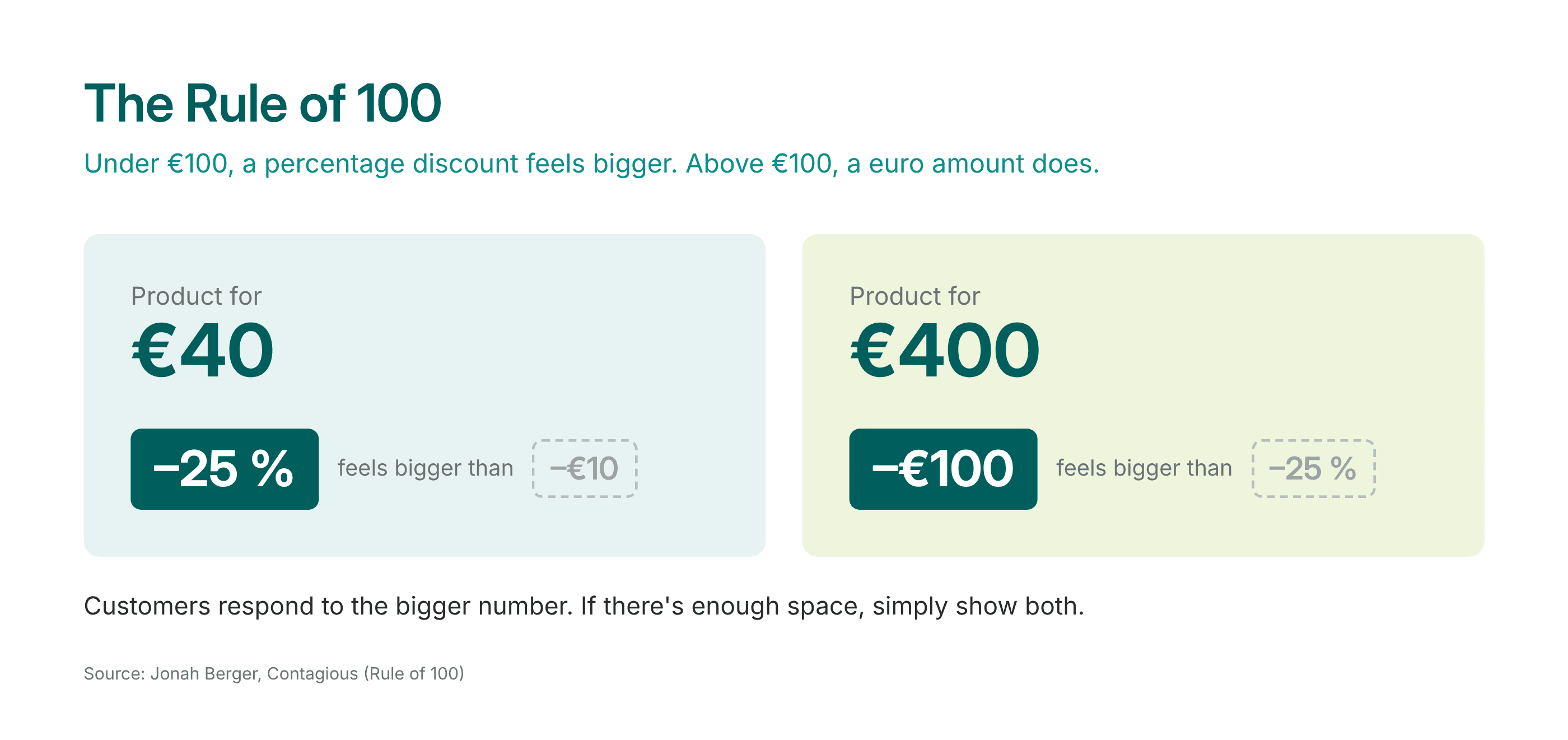
Percentage or Euro discount: Which is more effective? Here, marketing professor Jonah Berger’s “Rule of 100” comes in handy: For amounts under 100 Euros, a percentage discount seems larger; for amounts above that, a discount in euros seems larger. At 40 Euros, “–25 %” sounds like more than “10 Euros off.” At 400 Euros, “–100 Euros” has a stronger impact than “–25 %.” Customers respond to the larger number. If there’s enough space, simply show both.
How to set it up in Shopware: Strikethrough prices and free shipping with the Rule Builder
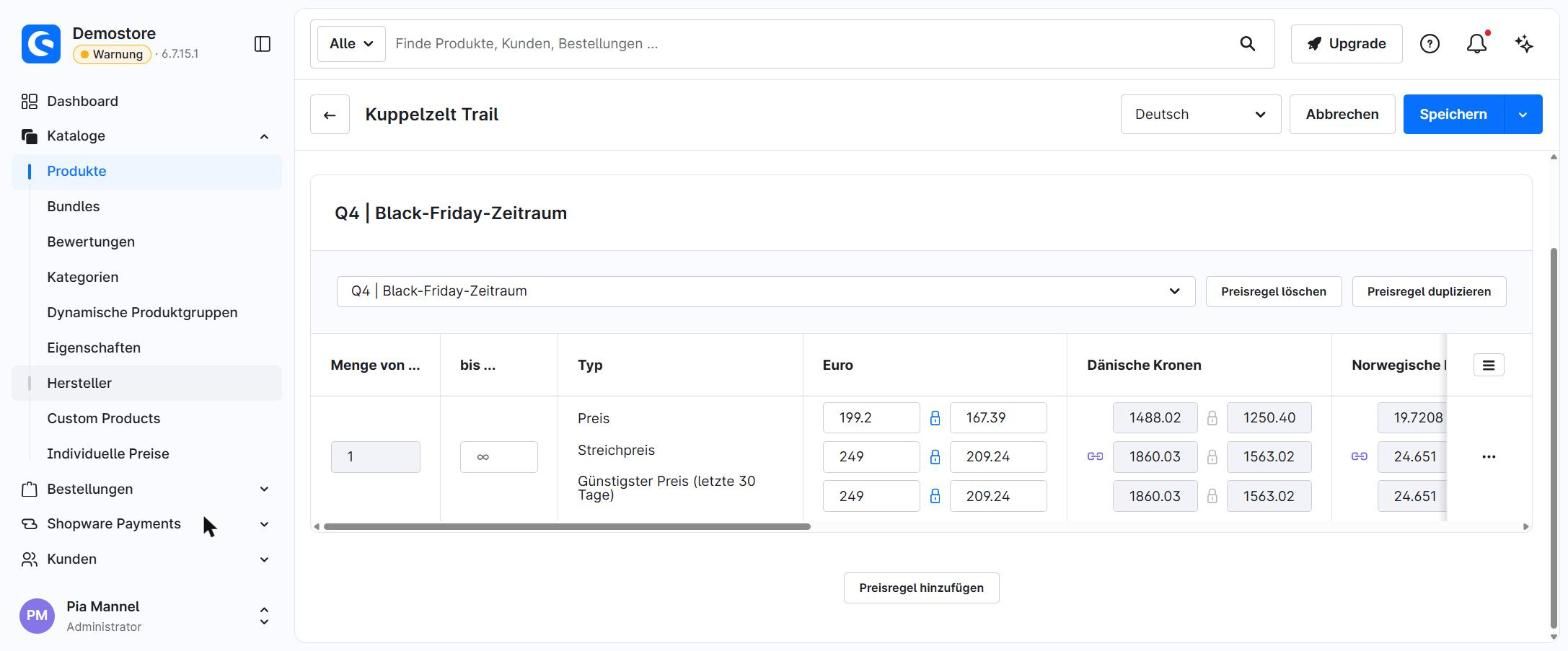
In the example store, Black Friday is being run as a strikethrough price promotion with 20 % off select tents, backpacks, and camping gear. Free shipping is also available on orders of 50 Euros or more.
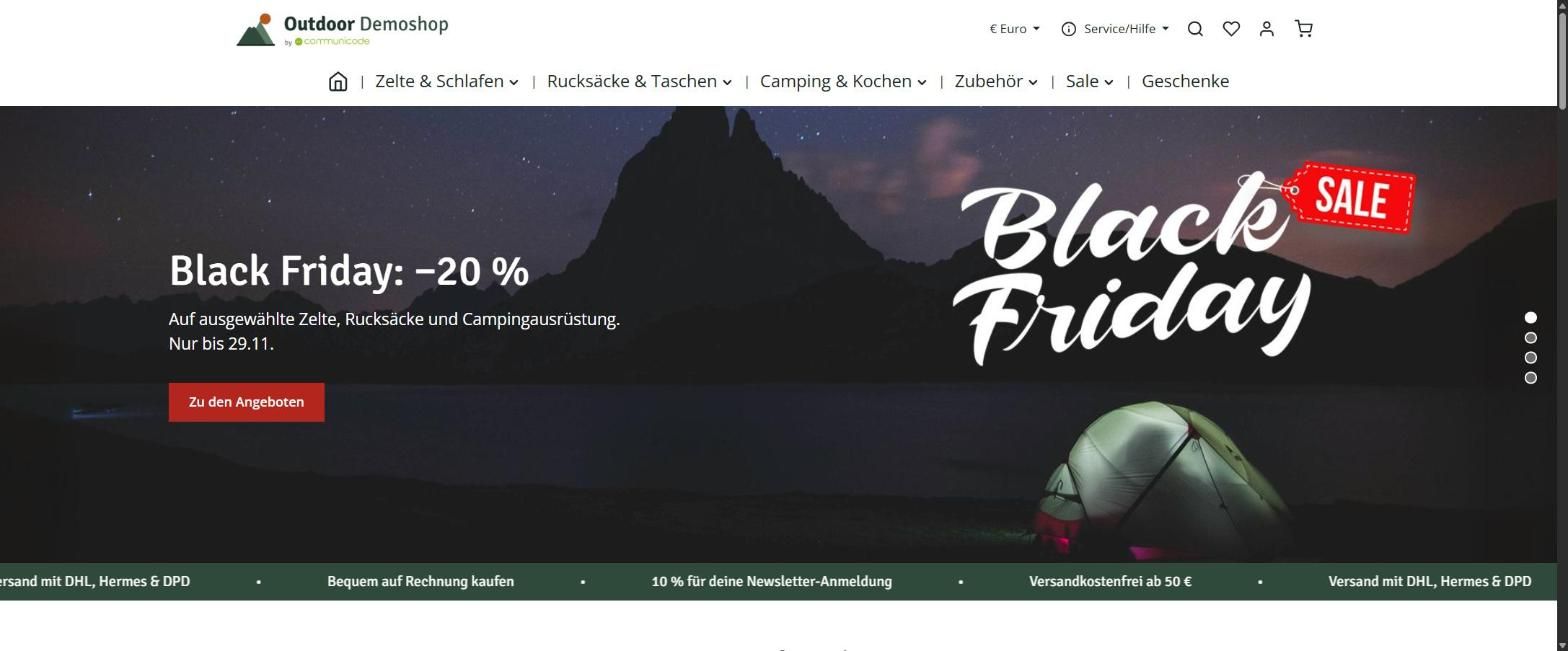
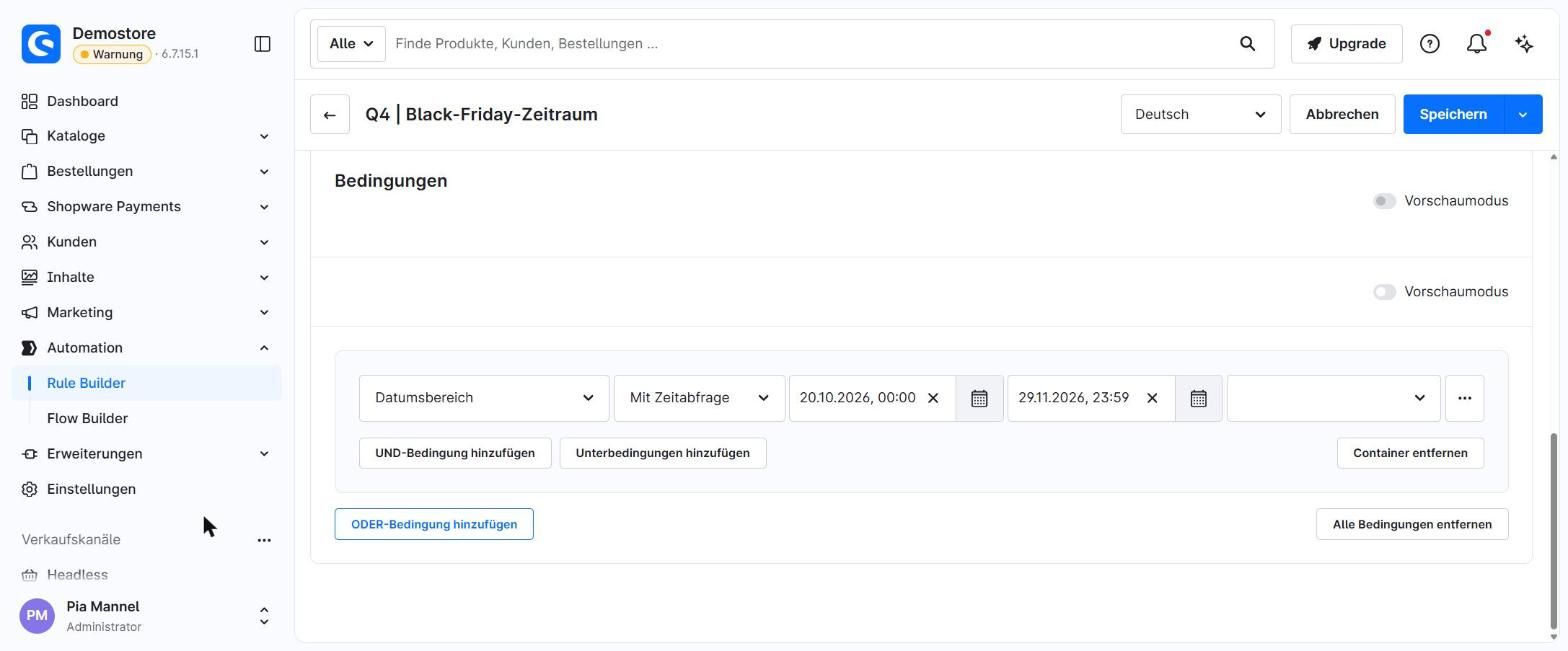
- Time period in the Rule Builder: A rule specifies when Black Friday applies. This allows you to prepare prices, banners, and homepages weeks in advance. They go online and offline automatically.
- Strikethrough prices: This rule is applied to the product under “Advanced Prices.” Important: The reduced price is the price shown; the original price is the list price. Shopware then automatically displays the strikethrough price and savings in the product listing and on the product page. The lowest price from the last 30 days is also displayed on the product page. A promotional badge with an end date and the strikethrough price in the shopping cart is not included by default; this requires a minor adjustment to the theme.
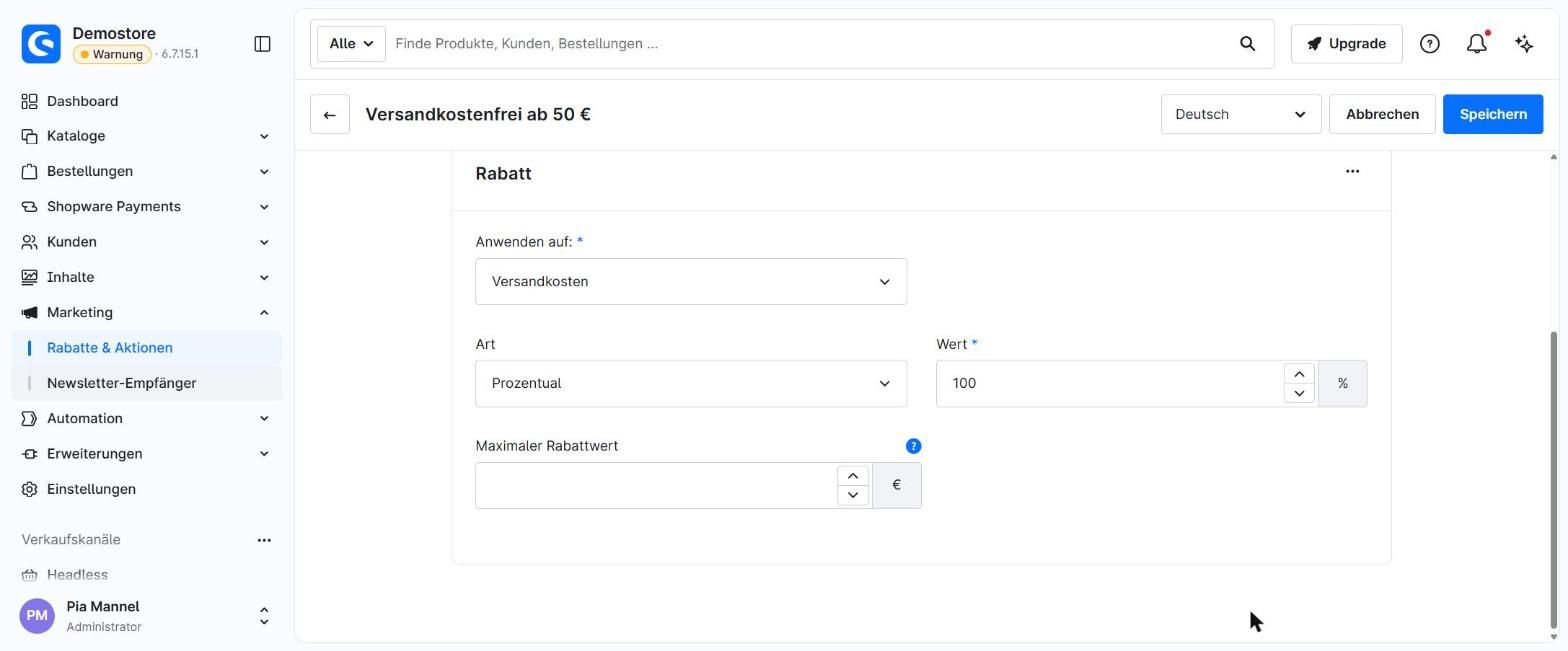
- Free shipping as a promotion: This isn’t handled through shipping costs but via “Discounts & Promotions”: no code required, with the condition “cart total of 50 euros or more” and a 100 % discount on shipping. The advantage: In the shopping cart, customers see a note indicating that shipping is free.
Personalization by customer group instead of a discount for everyone
Instead of giving everyone the same discount, each customer group receives an offer tailored to its needs. This type of personalization works without requiring a lot of data or additional tools. Three groups are particularly worthwhile during peak season:
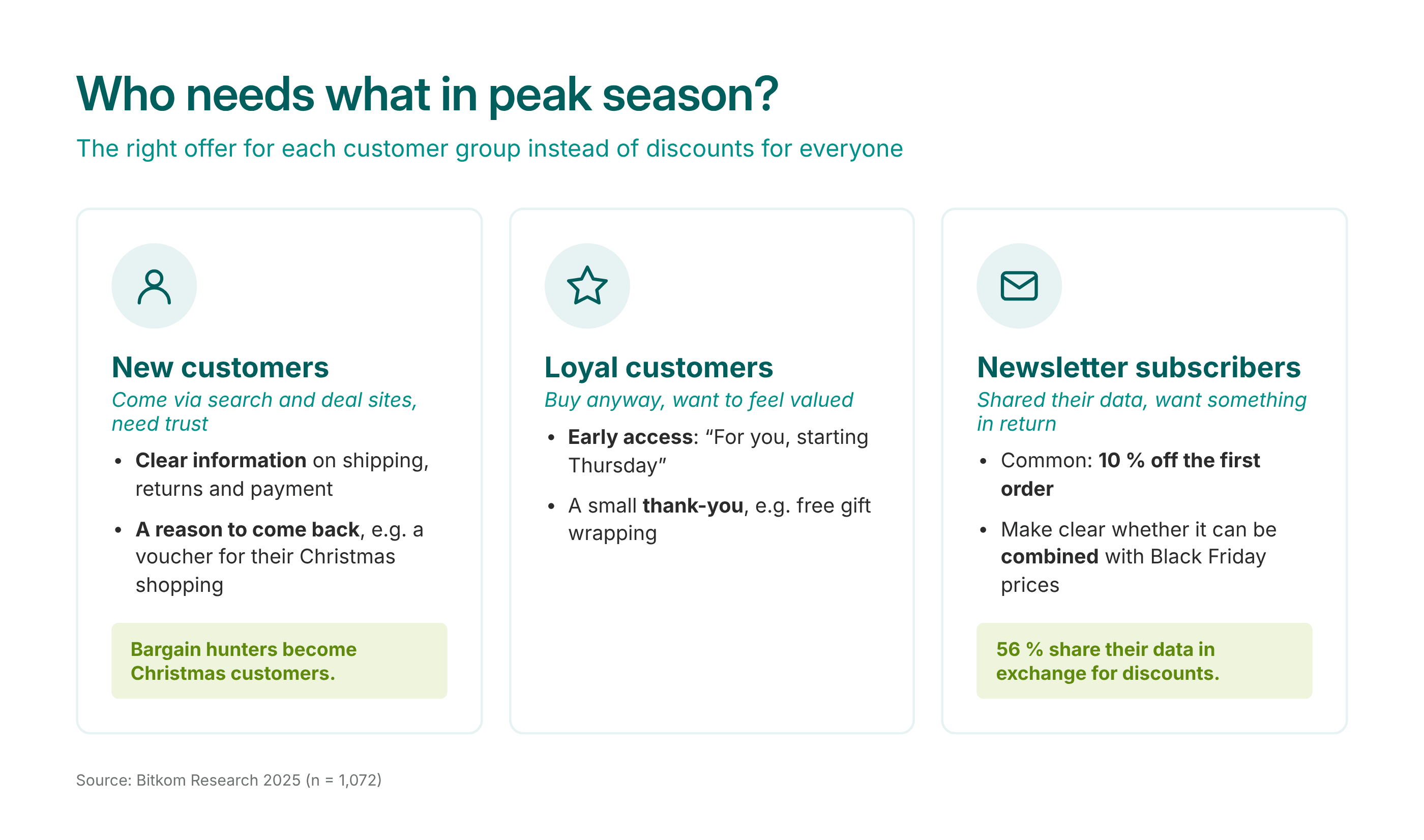
- New customers visit more frequently than usual around Black Friday, mostly via search engines or deal sites. They’re not familiar with the store and need to feel confident. A coupon for their next purchase after their first order turns Black Friday shoppers into holiday customers.
- Regular customers are going to buy anyway. Offering them even more discounts here just eats into your profit margin. Still, they want to feel valued—for example, with early access: they get the deals a few days before everyone else.
- Newsletter subscribers: According to Bitkom, more than half of online shoppers (56 %) are willing to share their data in exchange for a discount. A typical offer is 10% off the first order. If Black Friday is happening at the same time, it must be clear whether the discounts can be combined. One sentence is enough: “10 % off your first order, not combinable with Black Friday prices.” That way, no one will be disappointed later.
Here’s a tip that almost costs anything: Explain why you’re offering the deal. “Your benefit as a loyal customer” comes across as personal and exclusive. Customers are more likely to trust a discount like this than one that’s offered out of the blue.
How to set it pp in Shopware: Early access and newsletter discounts via rules
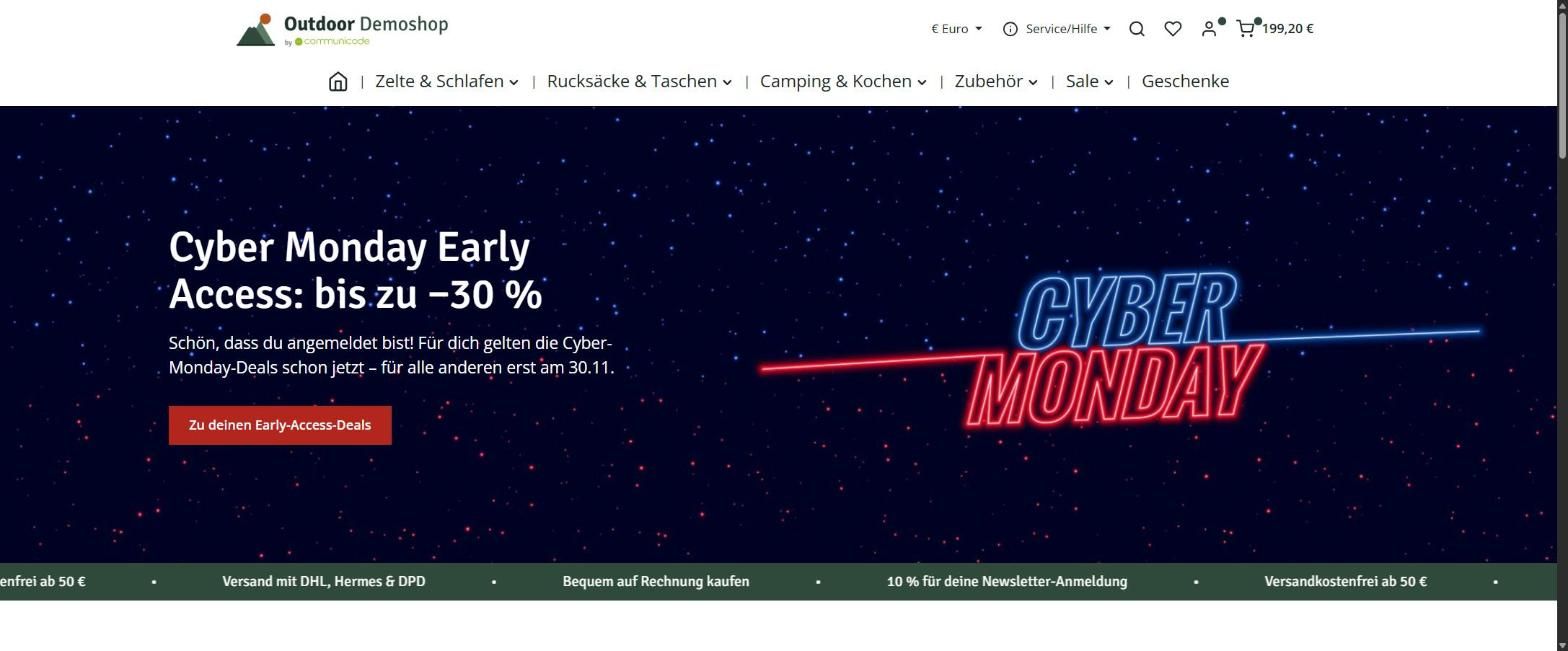
In the sample store, regular customers get early access to Cyber Monday, and new newsletter subscribers receive a 10 % discount.
- Defining loyal customers: In the Rule Builder, a loyal customer is defined as someone who has placed at least three completed orders. Alternatively, customers can be manually assigned to a “Loyal Customers” customer group, for example, for VIPs. The rule based on the number of orders, on the other hand, automatically identifies loyal customers.
- Custom homepage: In the Experience Worlds, each block can be linked to a rule via “Visibility.” Logged-in regular customers thus see a custom home page featuring Cyber Monday deals and a note indicating that the deals are already unlocked for them.
- Multiple discounts in a single promotion: Different discounts – such as 15 % off headlamps and 100 Euros off a tent – can be bundled into a single promotion. Product rules determine which discount applies to which items, while a time-period rule specifies when it applies.
- Newsletter discount: A rule labeled “Customer is a newsletter subscriber” displays a banner with the code after the customer logs in. The code is tied to the same rule and works only for registered subscribers. Alternatively, it can be sent via email. Important: Black Friday clearance prices are not considered discounts by Shopware. A newsletter code therefore also applies to discounted items, unless you exclude them from the promotion via a product rule.
Good to know: You can’t use rules to show or hide content in experience worlds in the Community Edition. Plugins for this are available in the Shopware Store.
Holiday sales in your online store: Gift ideas and advent calendars
Find gift ideas quickly
Many gift-givers don’t yet know exactly what they’re looking for, but they do know who the gift is for and how much they want to spend. Here are four UX tips to help them:
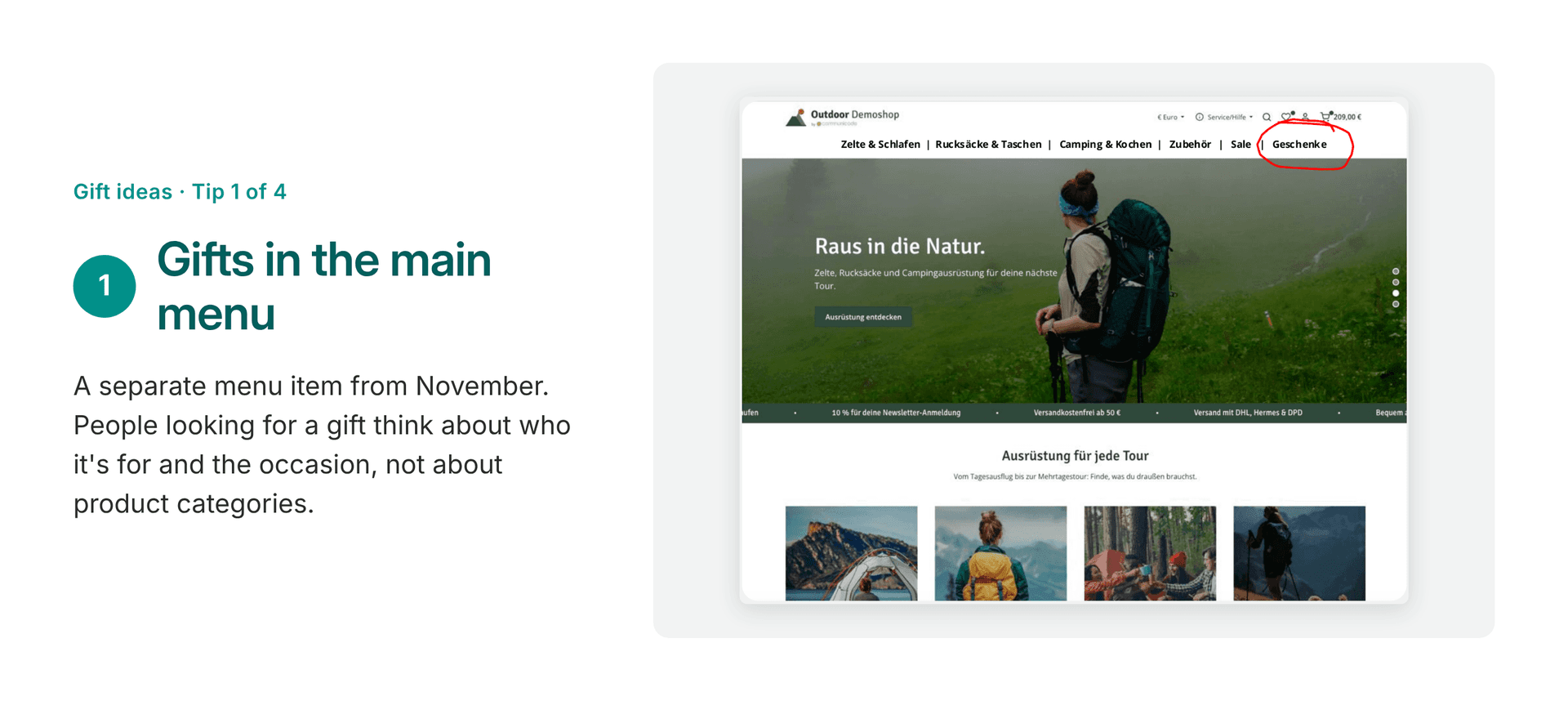
Infographic featuring the tip “Add Gifts to the Main Menu.” It recommends creating a dedicated gift section in the online store navigation from November onward, helping shoppers browse by occasion or recipient instead of product categories.
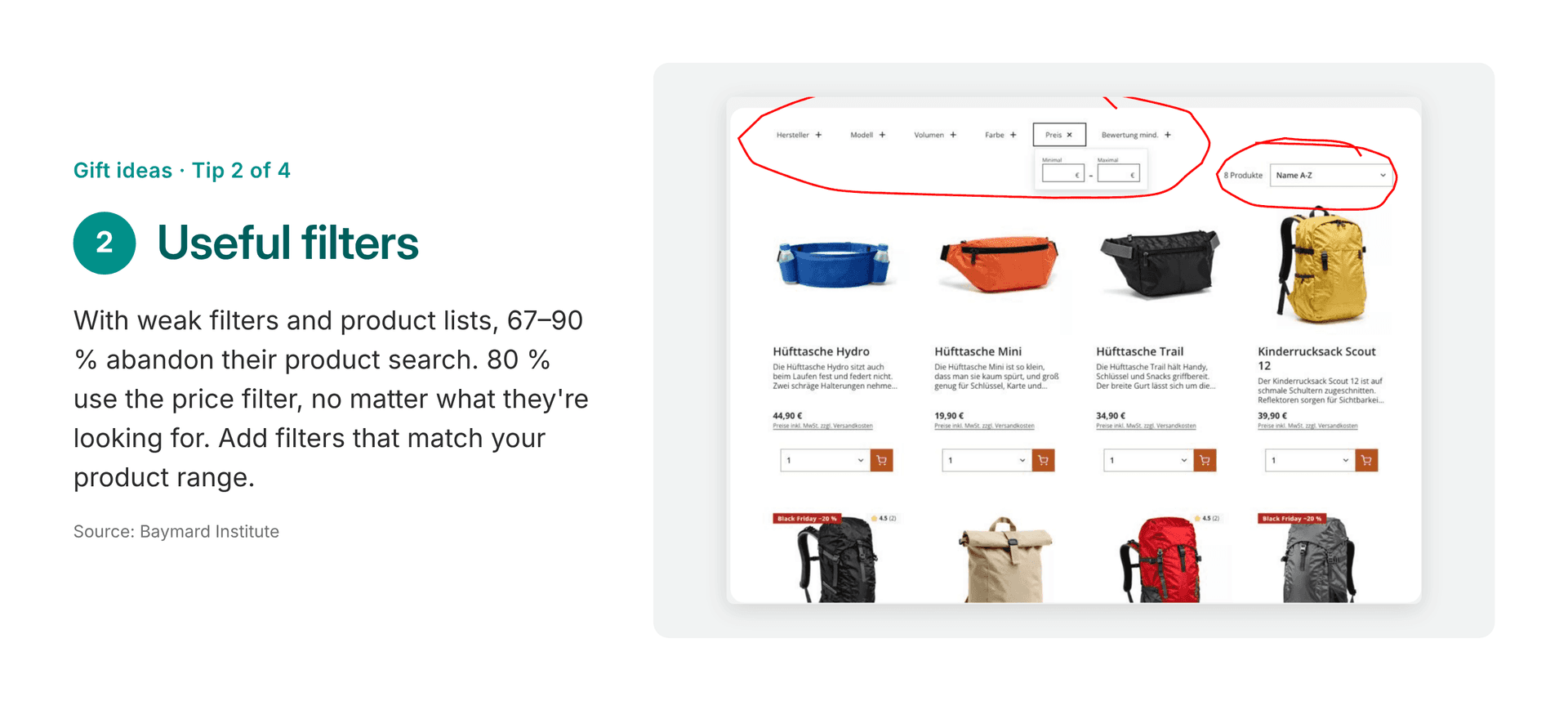
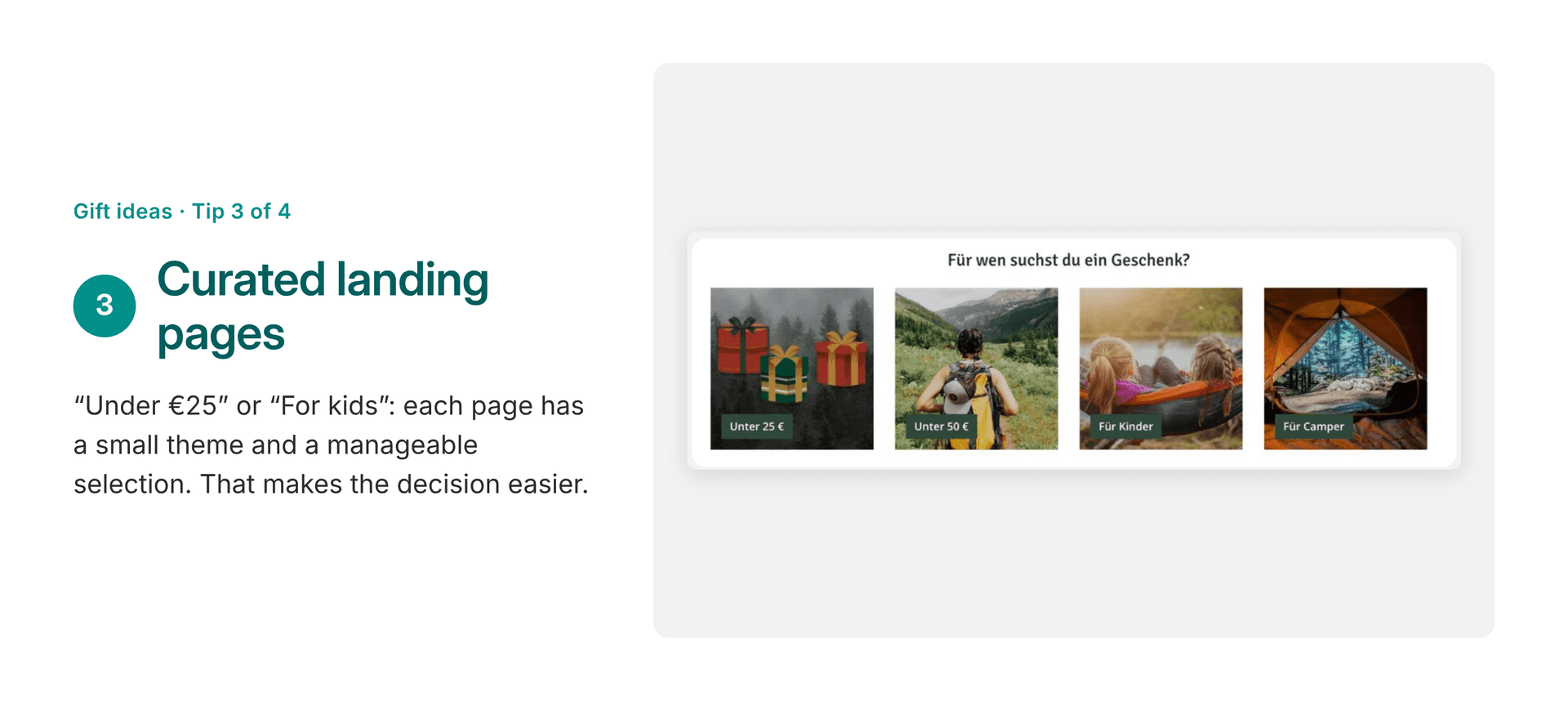
- “Gifts” in the main menu: Not all year round, but starting in November. People looking for gifts think in terms of people and occasions, not product categories. A dedicated menu item meets gift-givers where they start their search.
- Useful filters: They’re always worth it – not just for gifts. In user tests conducted by the Baymard Institute, 67 to 90 % of users abandoned the product search when filters and lists were weak. 80 % used the price filter, no matter what they were looking for. That’s the bare minimum; on top of that, you need filters that match your product lineup.
- Curated landing pages: Each page features a specific theme and a manageable selection, such as “Under 25 Euros” or “For kids.” This way, the store takes the work off the gift-giver’s hands, because a small, relevant selection makes the decision easier – 300 results are overwhelming.
- A clear delivery date: When users see “2–4 business days,” they have to do the math themselves and remain unsure whether the gift will arrive before Christmas Eve. In user tests, participants hesitated or abandoned the process precisely at that point. A clear message – such as “Order by December 18 to receive before Christmas Eve” – on both the product page and in the listing gives users peace of mind.
How to set it up in Shopware: Gift page and curated categories
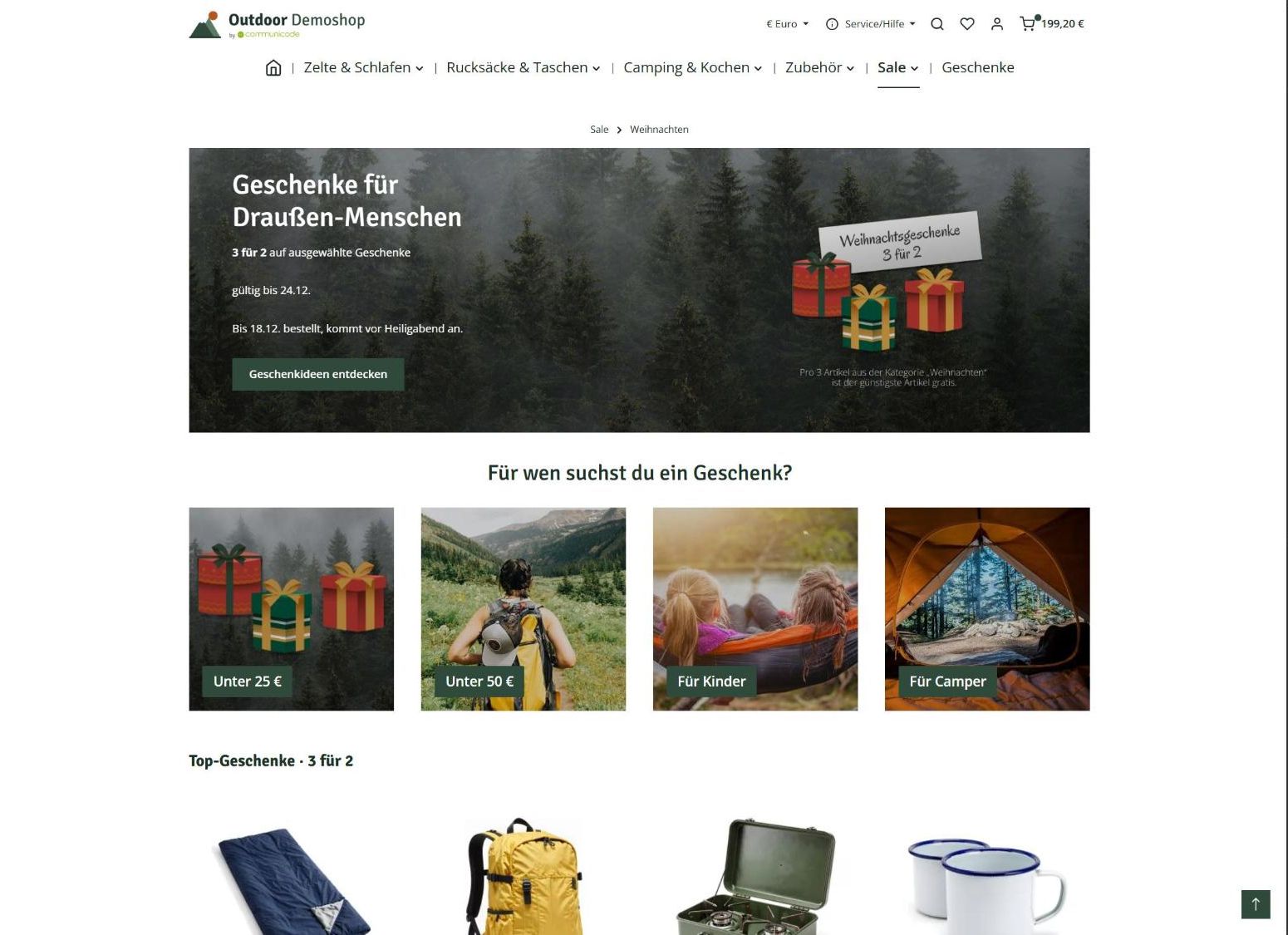
- Gifts page: A dedicated menu item leads to an interactive experience featuring a banner, order deadline, tiles linking to curated pages, and a slider showcasing top gifts.
- Curated pages: Each page represents a category, and the products come from a dynamic product group. For “Under 25 Euros,” the conditions are: price no higher than 25 Euros and stock level greater than 0. New matching products appear automatically, while sold-out items disappear.
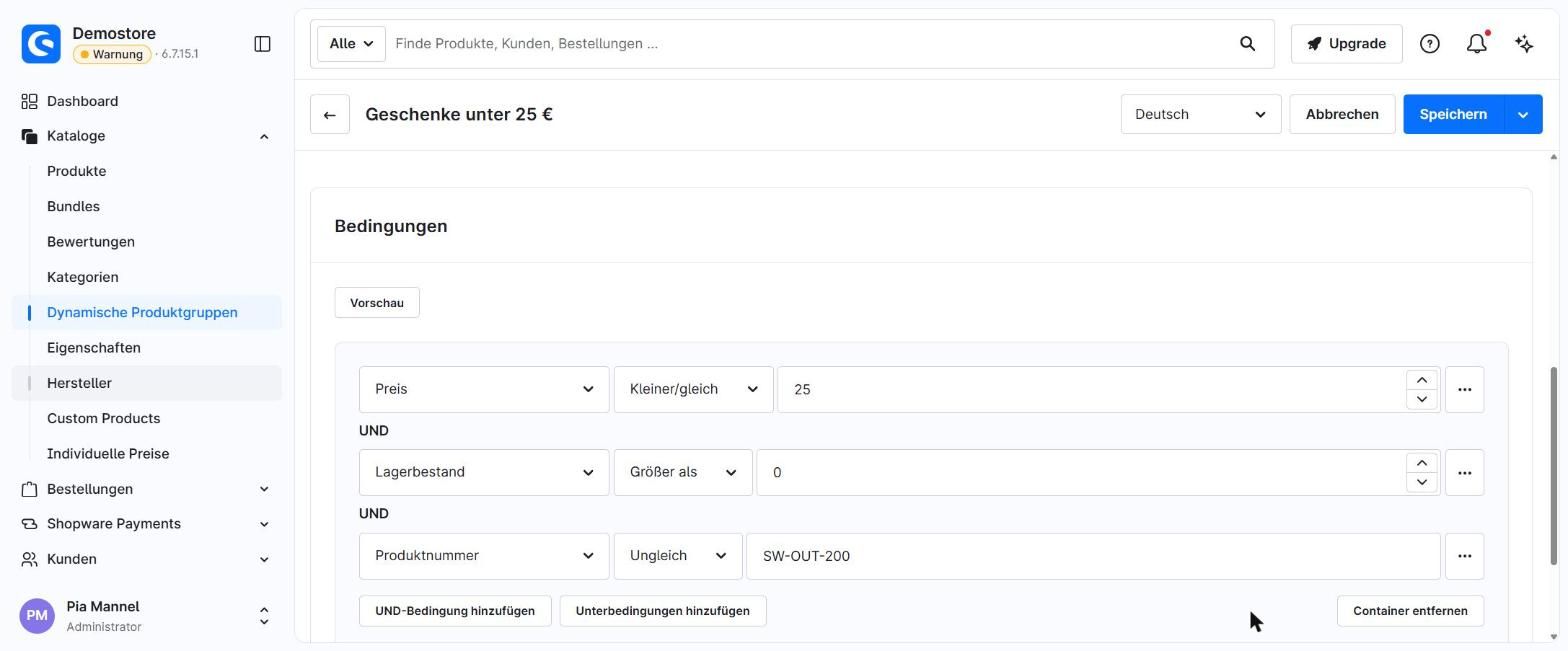
Good to know: Dynamic product groups are calculated based on the regular price, not on promotional prices from “Advanced Prices.” So a tent priced at 249 Euros that costs 199 Euros on Black Friday won’t end up in a “Under 200 Euros” group.
Advent calendars in the online store
An Advent calendar turns shopping into a daily ritual. Curiosity and anticipation naturally bring customers back, without the need for heavy advertising. There are two options:
- 24 doors with a daily offer: the classic choice, but time-consuming to fill.
- Four weeks of Advent, each with a promotion: significantly less maintenance.
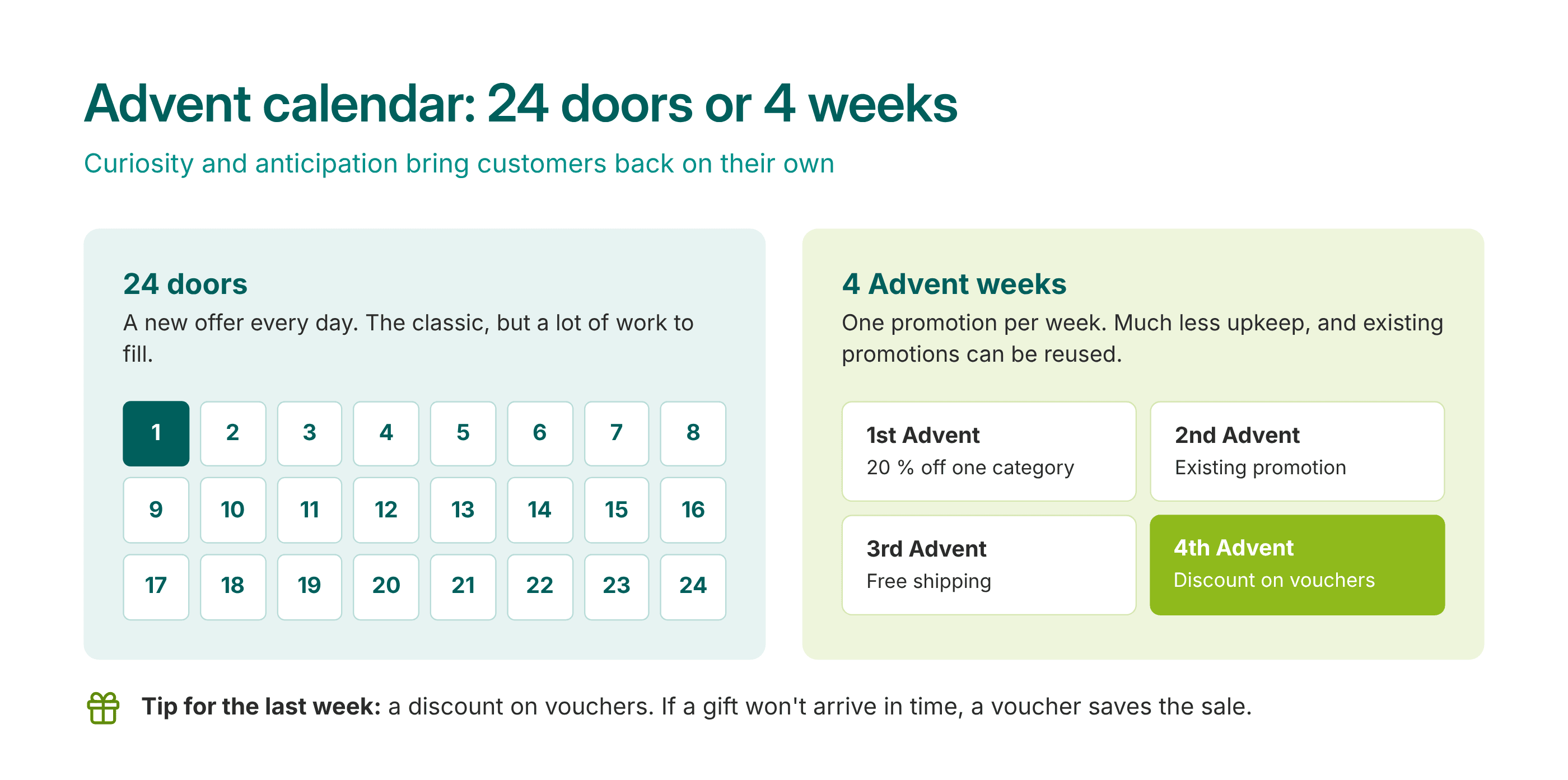
Tip: You can often make use of existing promotions for this. For example, offer a small discount on gift cards during the last week of Advent. If a gift won’t arrive in time, the gift card comes to the rescue, and customers will make another purchase before the end of the year. Plus, once you’ve set up an Advent calendar, you can easily reuse it next year.
Here’s how to do it in Shopware: Advent calendars with time-based rules
- Announce: A hero banner teases the calendar even before December 1.
- Doors via time-based rules: There’s a rule in the Rule Builder for each door. It displays the corresponding block in the Experience World only during the correct time period.
- Discount per door: In “Discounts & Promotions,” set up the same time-based rule along with product rules for the items – for example, 15 % off tableware and water bottles.
- Gift certificate: The gift certificate itself is a product. To generate unique codes for each buyer, you’ll need a plugin or a manual step, since a digital product with a PDF download provides all buyers with the same file – and thus the same code.
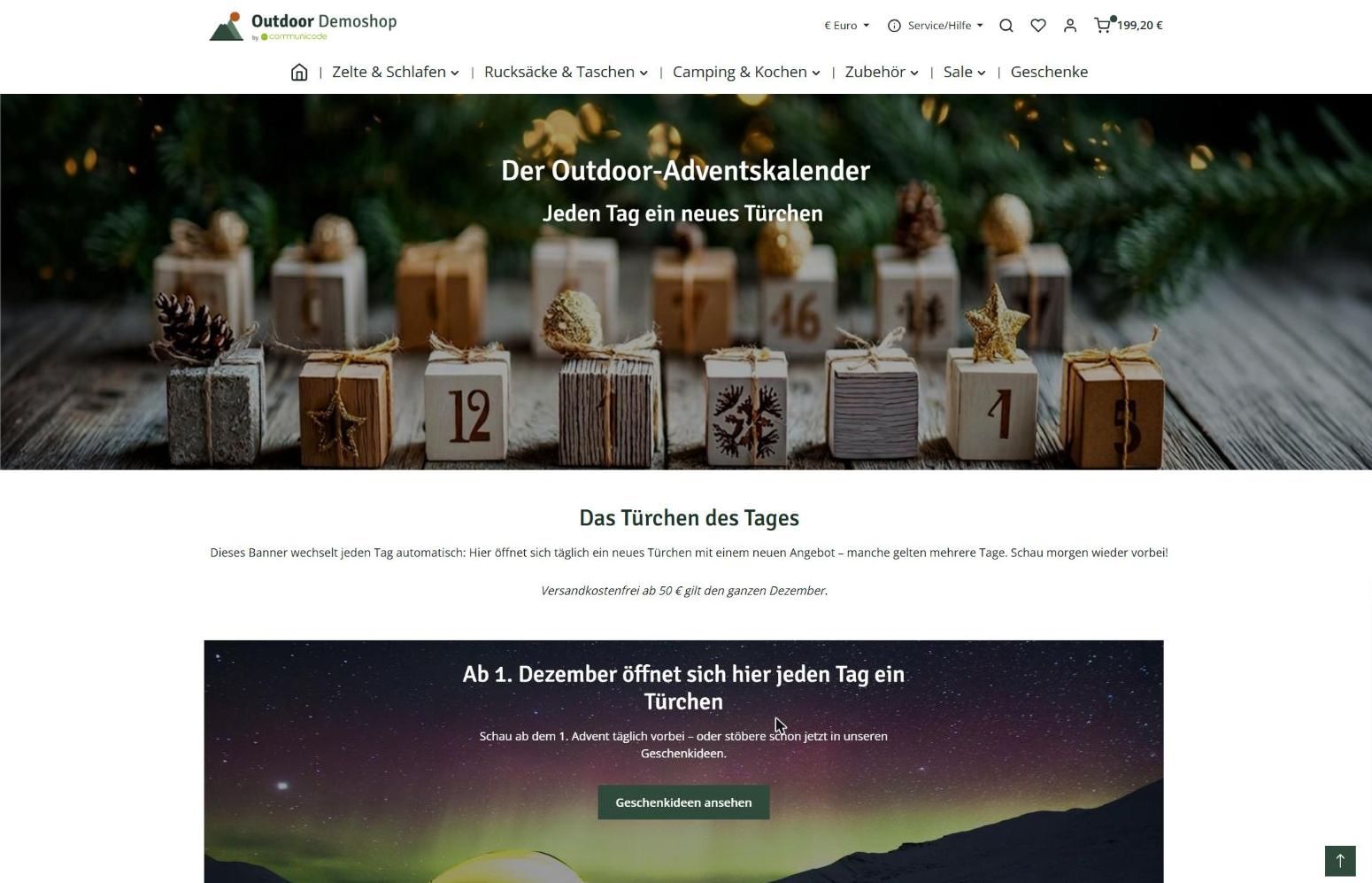
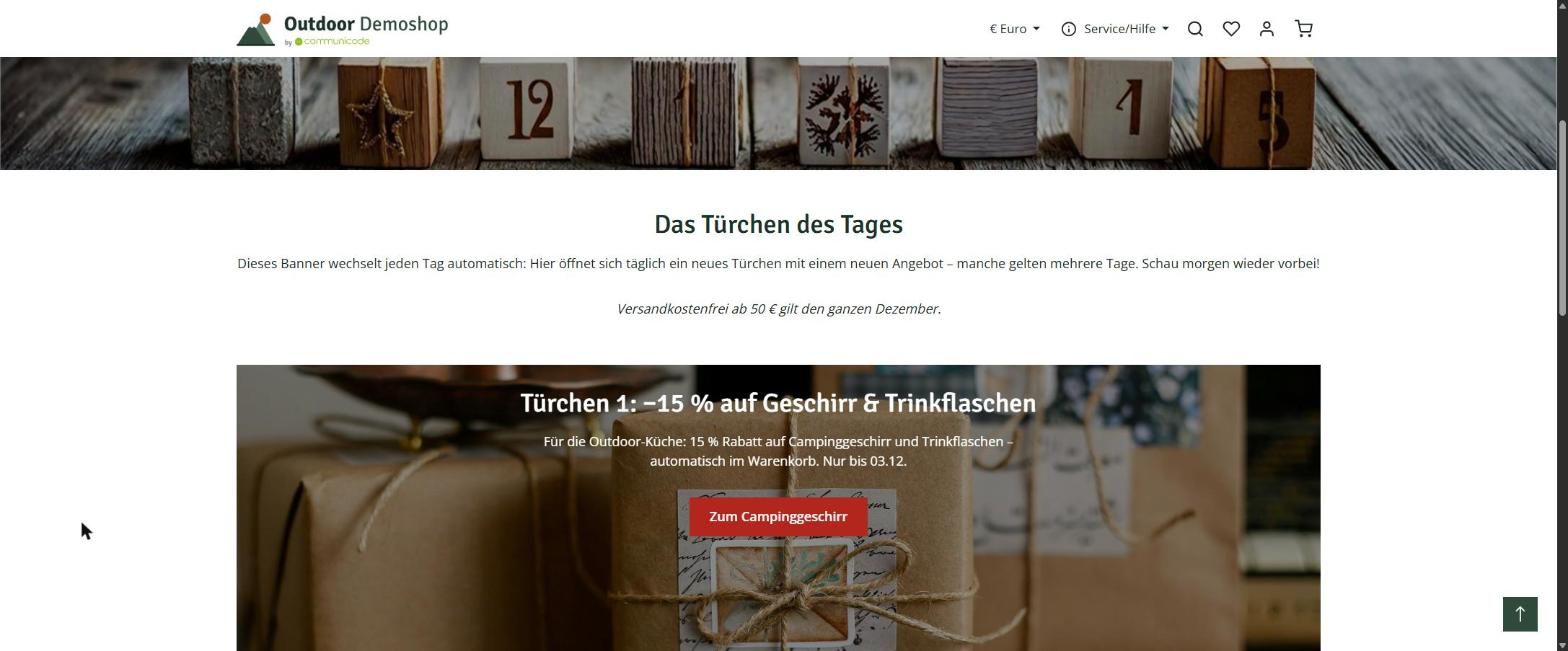
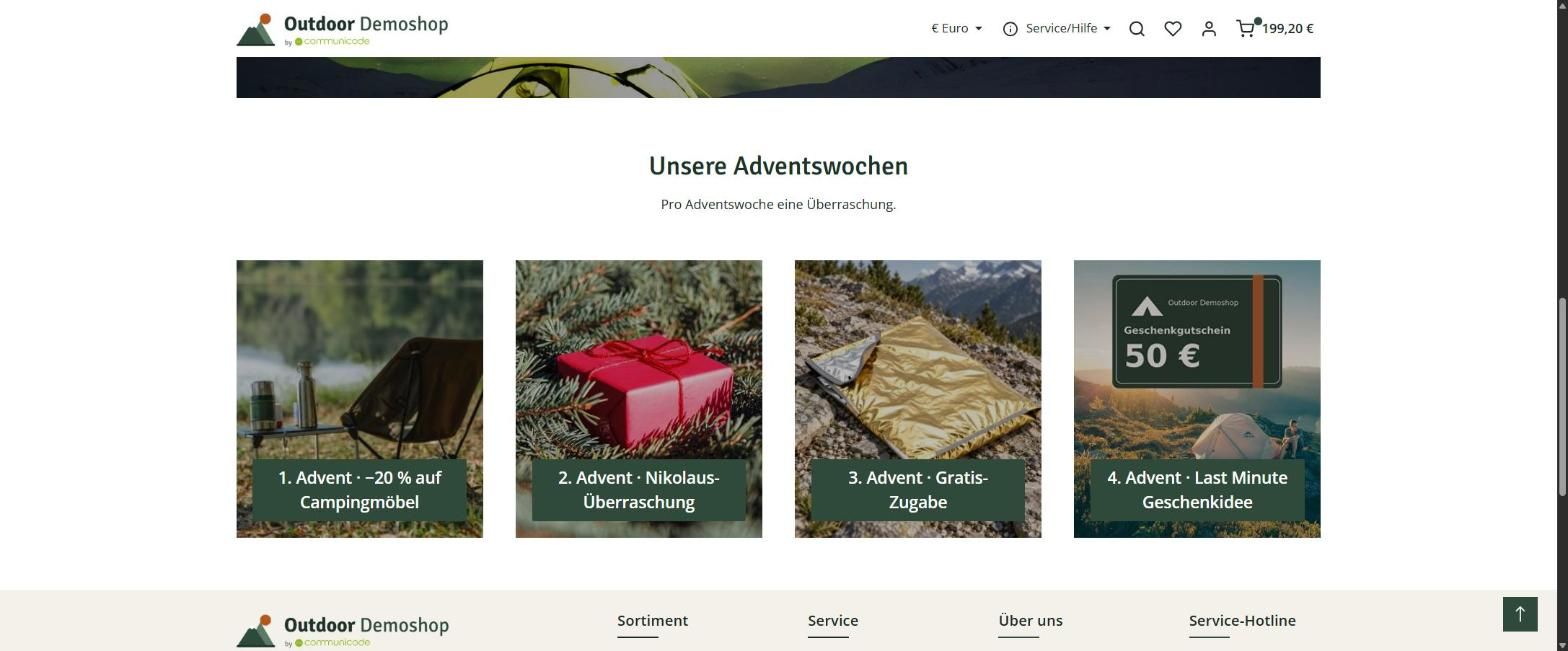
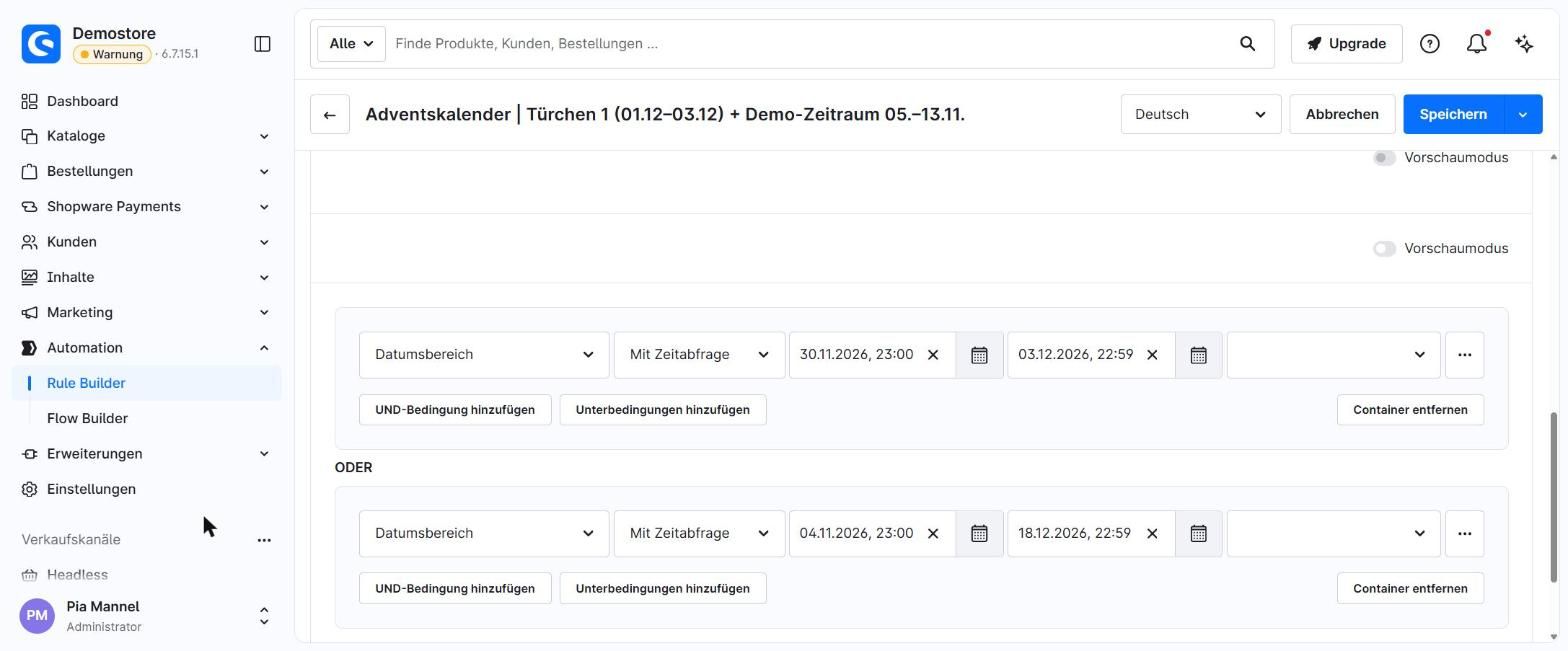
With 24 doors, there are a lot of rules to keep track of; with Advent weeks, there are only four. If you want doors with animations, you can find plugins for that.
Is the store ready for AI assistants?
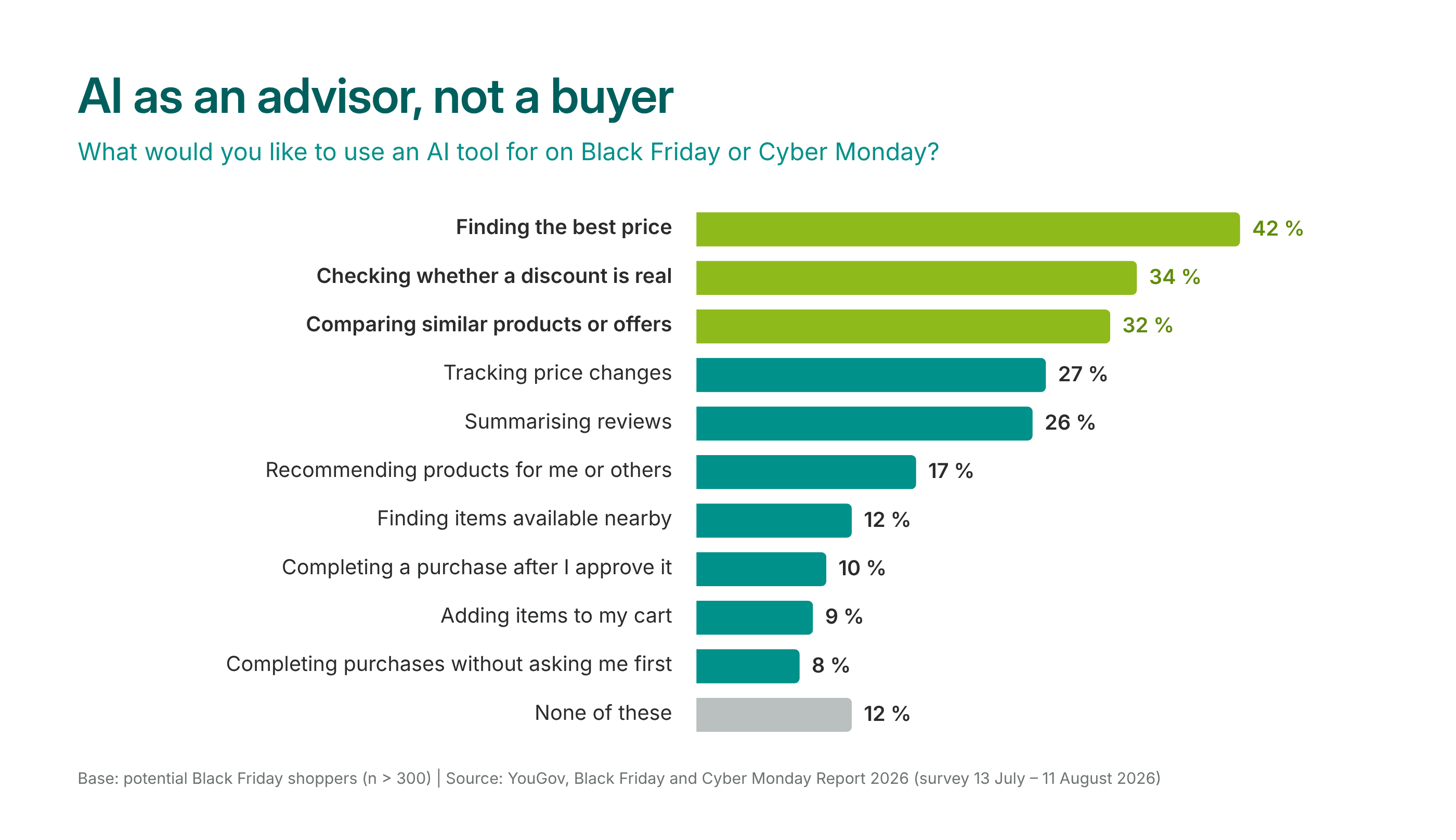
Many people want AI to help them while shopping. According to the YouGov survey, 42 % of Black Friday shoppers would use AI to find the best price, and 34 % to verify whether a discount is genuine. In this way, AI addresses the two biggest hurdles on Black Friday: identifying genuine discounts and finding the best deals. By contrast, only a few people want to leave the actual purchase to AI. So AI is an advisor, not a buyer.
The good news: What helps people also helps AI.
- Complete product data: Material, size, target audience, occasion, price, and availability
- Clear descriptions: Who is the product for, and what is it suitable for?
- Clear rules: Delivery time, return policy, and discount terms
In Shopware, AI crawlers are allowed to read the store by default. So if you want to be found by AI assistants, you don’t need to do anything. If you don’t want that, block the crawlers in the robots.txt file; starting with Shopware 6.7.1, you can do this under Settings → General → Basic Information.
One point is often overlooked: Discounts that only appear in the shopping cart are generally not seen by AI assistants, since they read product pages and do not add items to the shopping cart. A strikethrough price on the product, however, is visible. If you want AI assistants to find and compare real offers, display the discount directly on the product.
Shopware itself includes AI in the backend – for example, for product descriptions, attributes, review summaries, and alt text – as well as an AI search feature. With the “Agentic Commerce” extension, the store also becomes discoverable and operable by AI agents, including a product feed for ChatGPT. However, it is still in beta and currently available only in the U.S.
Conclusion
Successful campaigns require both a customer-centric approach and proper implementation in the store. Ideally, follow this exact order: First, ask what customers need. Then configure the store so that it delivers exactly that.
On Black Friday, that means a discount customers can trust. At Christmas, it means a gift that’s easy to find and arrives on time.
And if there’s only one thing you can implement by Black Friday: free shipping. It’s quick to set up, and customers are familiar with it from major platforms. A discount on the entire product range would be even faster, but it eats into your profit margin.
FAQ – Frequently Asked Questions

Stephanie Ebbert
Stephanie is a UX Designer and Art Director with over 12 years of experience. At communicode, she designs and optimizes digital products such as websites, online shops or apps. She advises customers from the B2B as well as from the B2C area. Her passion for developing digital products is shaped by the human-centered design mindset. Stephanie is convinced that user testing, user interviews and psychology play a bigger role in good user experiences and successful shops than just beautiful design.